
Quicken Simplifi vs Hinder: the easiest tracker vs the one that blocks
Quicken Simplifi is the easiest budgeting app to set up and one of the cheapest, and its spending plan adjusts itself as your month changes. What it will not do is stop you from spending. Hinder is the app that acts: go over budget and it locks the apps you overspend in.
Simplifi is Quicken's modern budgeting app, and it is a good one. You link your accounts, it builds a spending plan around your real income and bills, and you get a clean answer to the only question most people have: how much can I still spend this month. Review sites keep handing it the beginner pick, and it inherited a wave of users when Mint shut down. We covered that migration in the best Mint alternatives.
Hinder solves a different problem. It connects to your bank, watches your spending, and when you cross a limit it blocks the spending apps themselves. One shows you the number. The other acts on it.
The short version
 Quicken Simplifi
 HinderQuicken Simplifi$3 to $6/mo, billed annuallyHinderFree to tryQuicken SimplifiNo free tier, short trial plus 30 day refund windowHinder1 week trialQuicken SimplifiMinutes, the plan builds itselfHinderA few minutes, link bank and pick appsQuicken SimplifiAdaptive spending planHinderCategory and per-app limitsQuicken SimplifiNoHinderYesQuicken SimplifiiPhone, Android, webHinderiPhoneQuicken SimplifiYes, basicHinderNo, on purpose
What Quicken Simplifi does really well
Setup is the whole pitch. I linked two cards and had a working spending plan in about ten minutes, no envelopes to fill, no dollars to assign. Simplifi takes your income, subtracts bills and savings goals, and hands you one number: what is left to spend. When a paycheck lands early or an annual renewal sneaks in, the plan absorbs it and the number quietly adjusts.
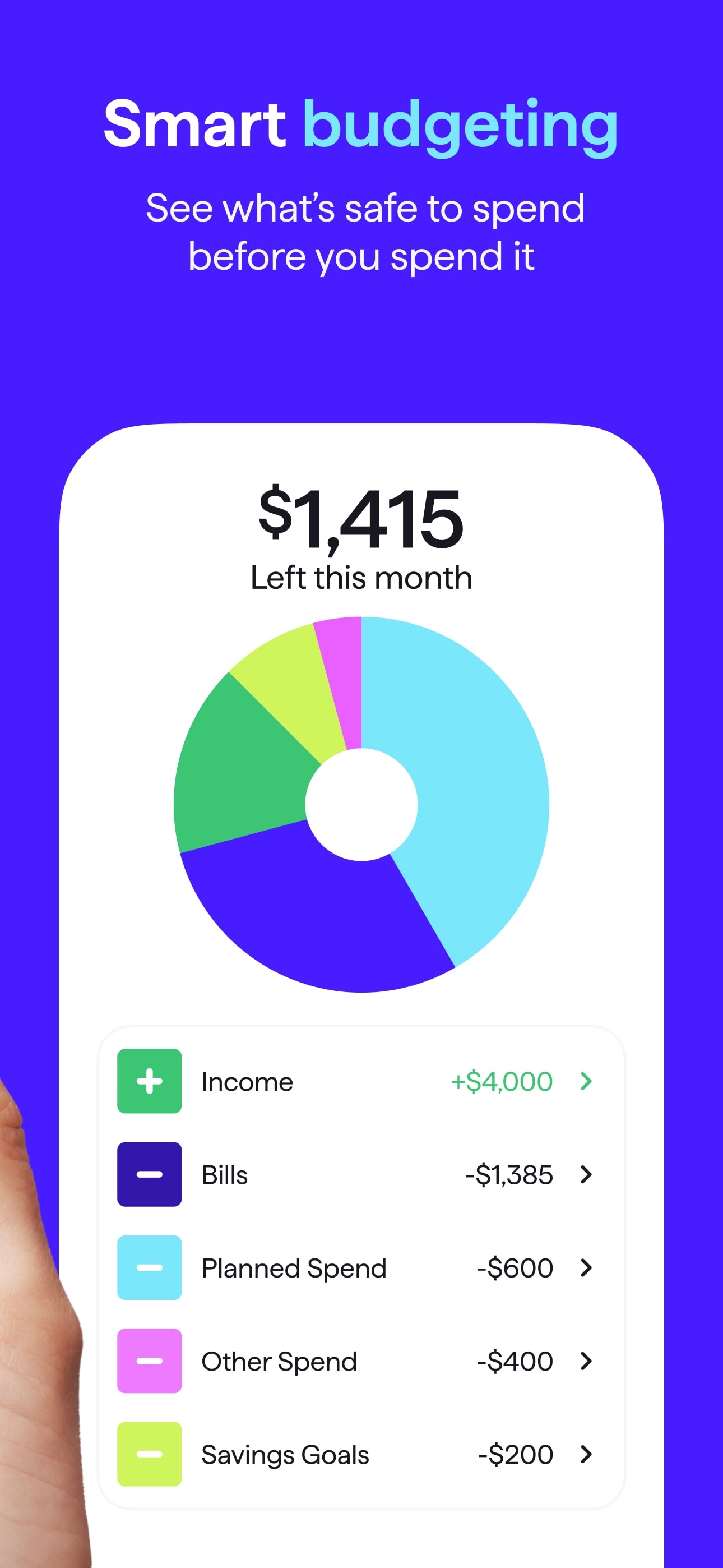
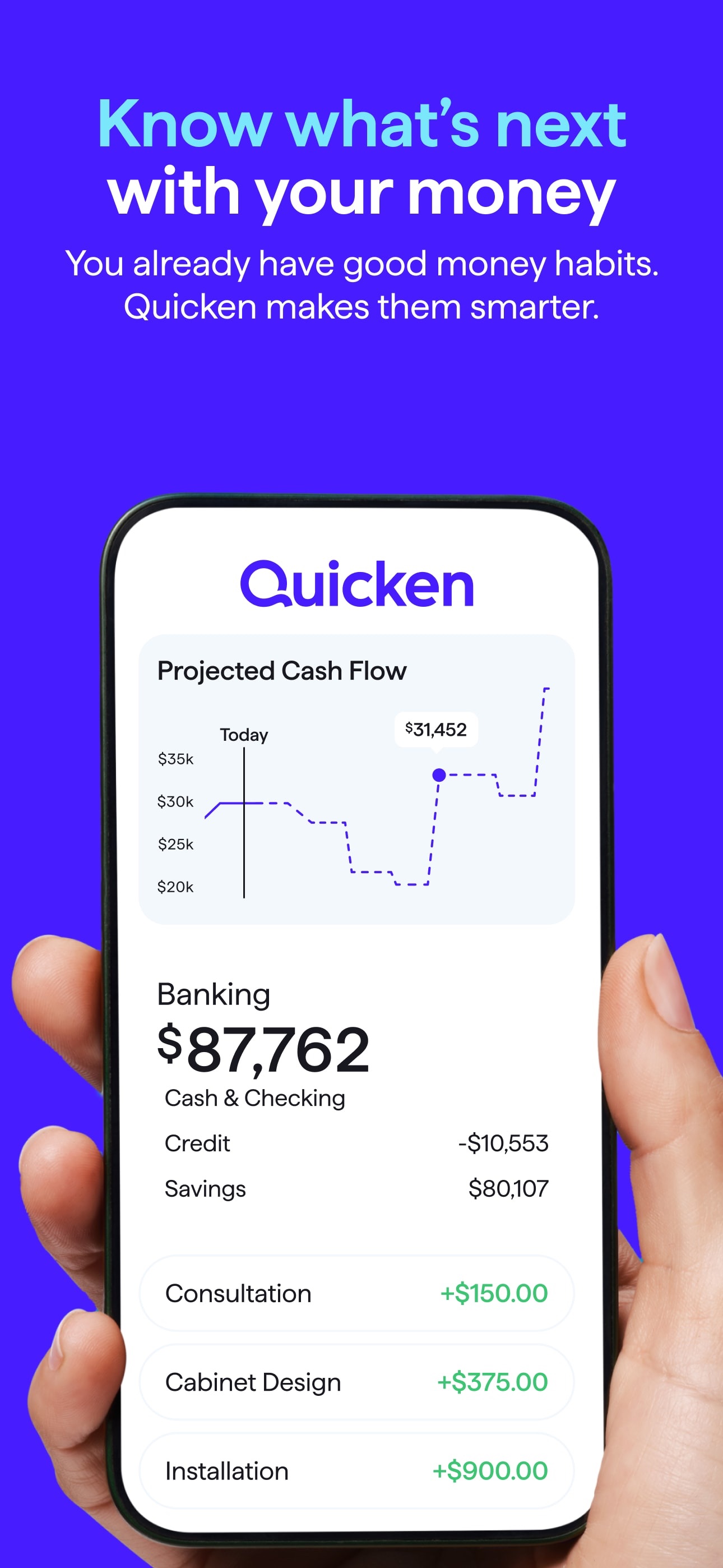
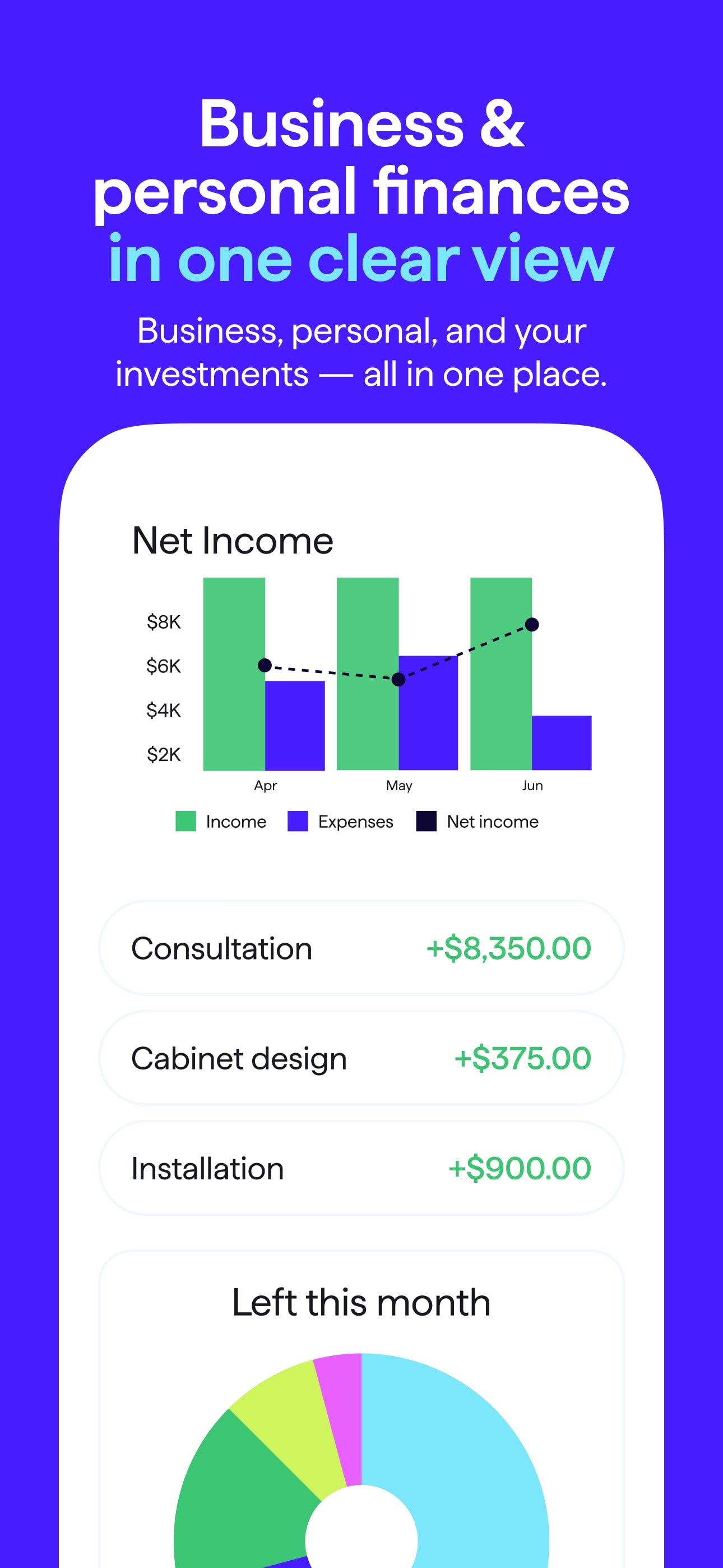
It is also cheap for the category. Expect 3 to 6 dollars a month billed annually depending on the promo Quicken is running, which undercuts YNAB and Monarch by a wide margin. Add cash flow projections and basic investment tracking, and it is the most complete tracker you can get at that price.
Does Simplifi stop you from overspending?
No, and this is the part the reviews skim over. Simplifi is a rearview mirror with excellent visibility. The spending plan tells you what is left, the alerts tell you when you went over, and the charts explain what happened. All of it is information, and at 9pm with a cart full of takeout, information is exactly the thing you ignore.
Your leftover number drops from 240 to 187 and dinner still arrives in 40 minutes. Simplifi trusts you at the precise moment you should not be trusted. That is not a flaw in Simplifi, it is the whole tracker category. Trackers report.
What Hinder does instead
Hinder connects to your bank through Plaid and budgets in two layers: categories you create, and limits per app. At 80 percent of a limit you get a warning push. At 100 percent the apps in that category stop opening. Not a red number, an actual block built on iOS Screen Time, with a shield offering Save Money or Increase Budget.
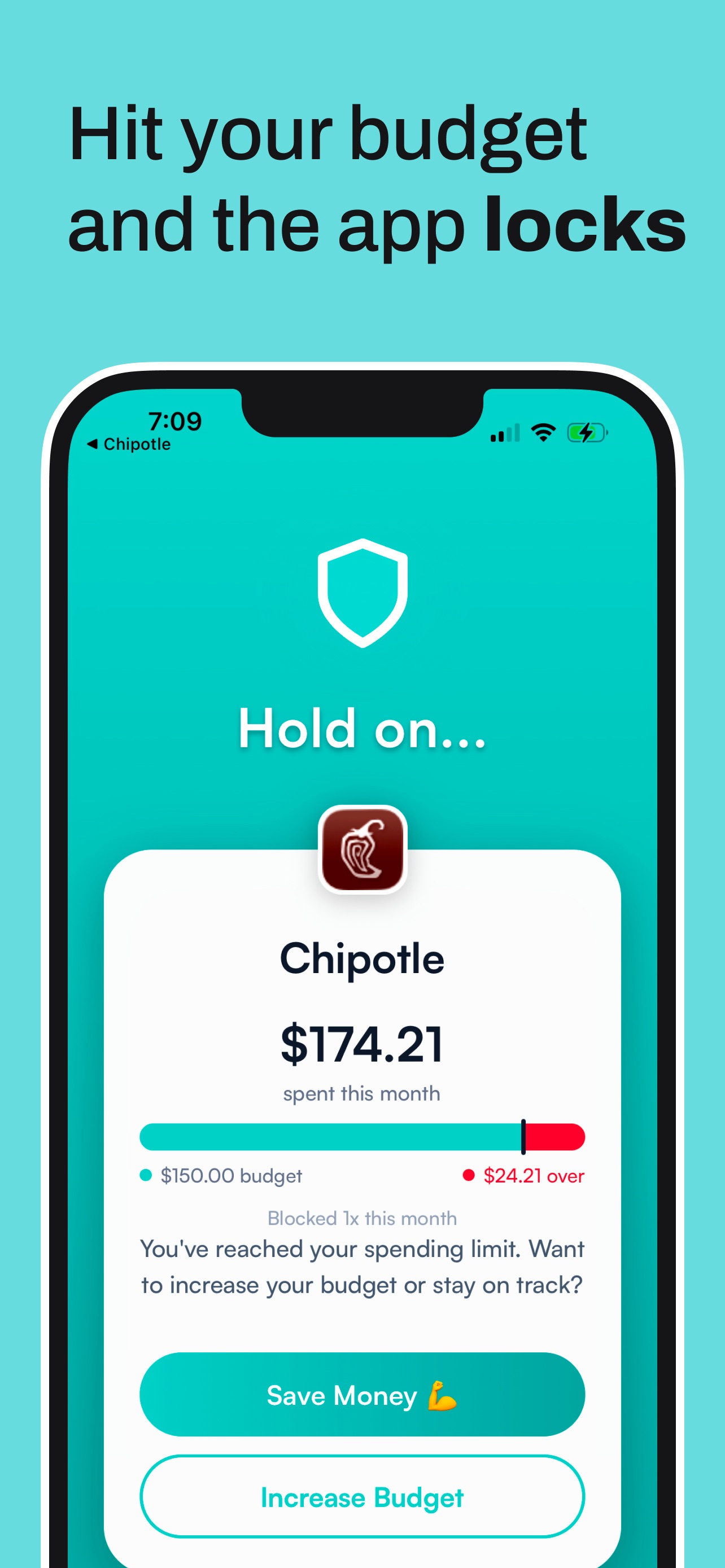
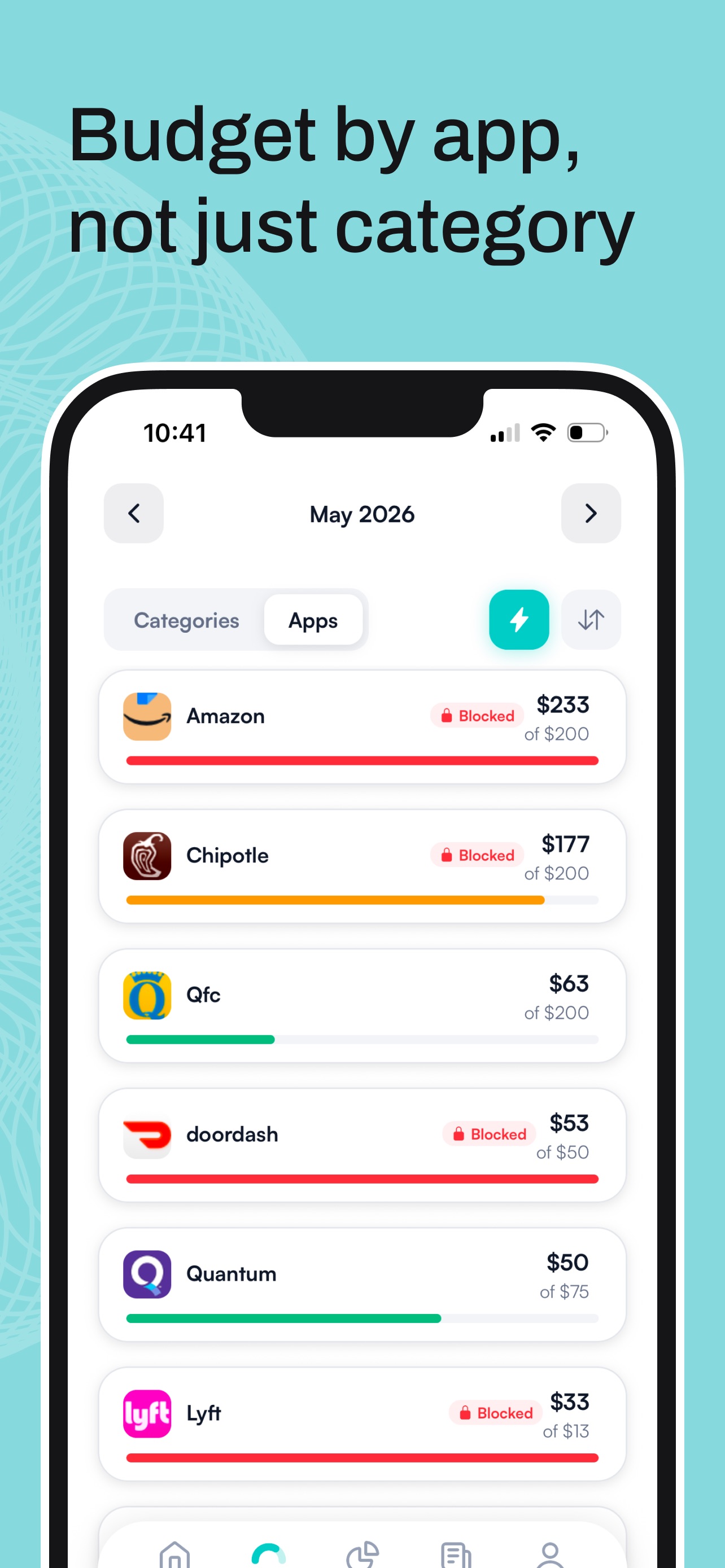
There is a temporary unblock of about five minutes for real emergencies, and a true unblock means raising your own limit on purpose. That pause kills most impulse buys by itself. Simplifi would have shown you a smaller number. Hinder closes the door.
What Simplifi costs in 2026
Quicken usually runs Simplifi around 3 dollars a month for the first year, then renews closer to 6, all billed annually. There is no free tier. You get a short trial and a 30 day money back window, but your card goes in first.
Hinder is free to download and try on iPhone. And the math worth doing is not tracker versus tracker. One skipped 40 dollar delivery order a month pays for a lot of blocking.
Who should pick which
Pick Quicken Simplifi if:
- This is your first budgeting app and you want it working today.
- You want the cheapest full tracker with bank sync.
- You need Android or web, or a glance at your investments.
- Seeing what is left to spend genuinely changes your night.
Pick Hinder if:
- You have used a tracker and overspent with it open.
- Your damage happens inside a few specific apps.
- You want the limit enforced, not reported.
- You are on iPhone and want hard stops, not alerts.
The honest answer
If all you need is visibility with zero homework, buy Simplifi and do not overthink it. It is the easiest on-ramp in budgeting and the cheapest good one.
But if you have watched your own leftover number shrink and ordered anyway, a friendlier chart was never the fix. Want deep hands-on planning instead of autopilot, read YNAB vs Hinder. Already on your way out, here are the best Simplifi alternatives.
Common questions
Does Quicken Simplifi block apps when you go over budget?
No. Simplifi sends alerts and updates your spending plan, but it never locks an app or stops a purchase. Hinder is the app that does that, using iOS Screen Time to block your spending apps at 100 percent of a limit.
Is there a free version of Simplifi?
No. Simplifi has no free tier, only a short trial and a 30 day money back window, with a card required up front. It runs about 3 to 6 dollars a month billed annually, which still makes it one of the cheapest full trackers.
What is the Simplifi spending plan?
It is Simplifi's take on a budget: income minus bills minus savings goals equals what is left to spend. The number updates on its own as transactions land, so it stays honest without any upkeep from you.
Is Simplifi good for beginners?
Yes, it is probably the best first budgeting app. Setup takes minutes, the spending plan builds itself, and it costs less than most rivals. Just know it only watches. It will not stop overspending.
Can I use Simplifi and Hinder together?
Yes, they cover different jobs. Simplifi gives you the full picture across accounts, and Hinder locks the apps you overspend in the moment you cross a limit. Track in one, get stopped by the other.