
YNAB vs Hinder: which one actually stops you from overspending?
I've used both. One teaches you to give every dollar a job. The other freezes DoorDash when you've already spent too much. That difference is the whole story.
Here is the honest version. YNAB might be the best budgeting software ever made. It taught a whole generation of people to plan their money on purpose, and the ones who stick with it swear by it for life. Hinder does something YNAB has never tried to do. When you go over budget, it locks the app you were about to spend in.
So which one do you need? It comes down to a single question. Do you need a better plan, or do you need something to stop you at 9pm on a Tuesday when the plan has already gone out the window?
The short version
 YNAB
YNAB HinderYNABA planning toolHinderA brakeYNAB$14.99/mo or $109/yrHinderFree to tryYNAB34 daysHinder1 weekYNABiOS, Android, webHinderiPhoneYNABNoHinderYesYNABPeople who want to plan every dollarHinderPeople who plan fine and still overspend
If you already budget well and want to go deeper, YNAB. If you budget fine on paper and still blow it, Hinder. Read on for why, with real screenshots of both.
What YNAB gets genuinely right
Let's not be cheap about this. YNAB is excellent. Its whole method is that every dollar you have gets assigned a job before you spend it, so you are always spending money you already decided to spend. That one habit fixes a lot of people.
You fund your categories, watch the bars fill up, and when something goes over you move money from another to cover it. Overspending becomes a decision you make, not a surprise you find later.
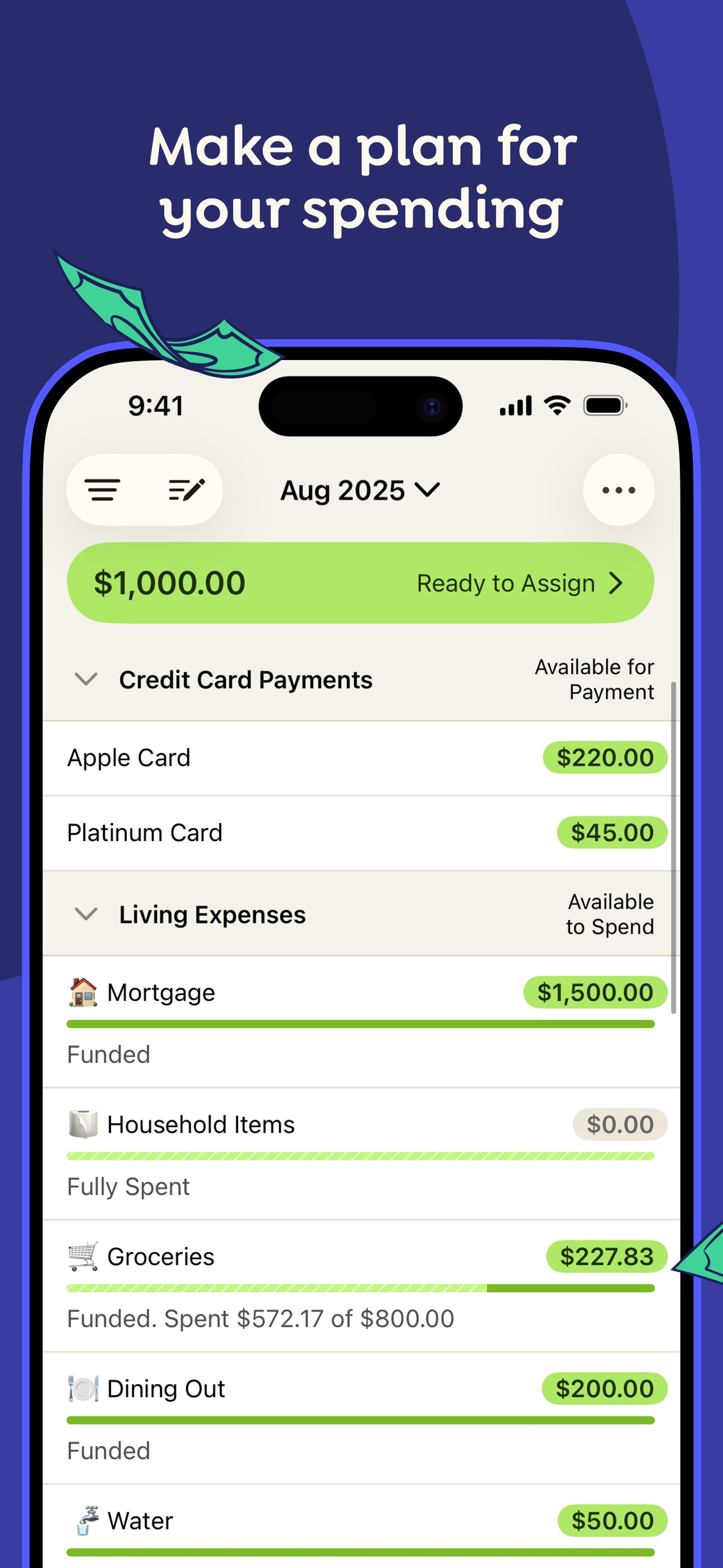
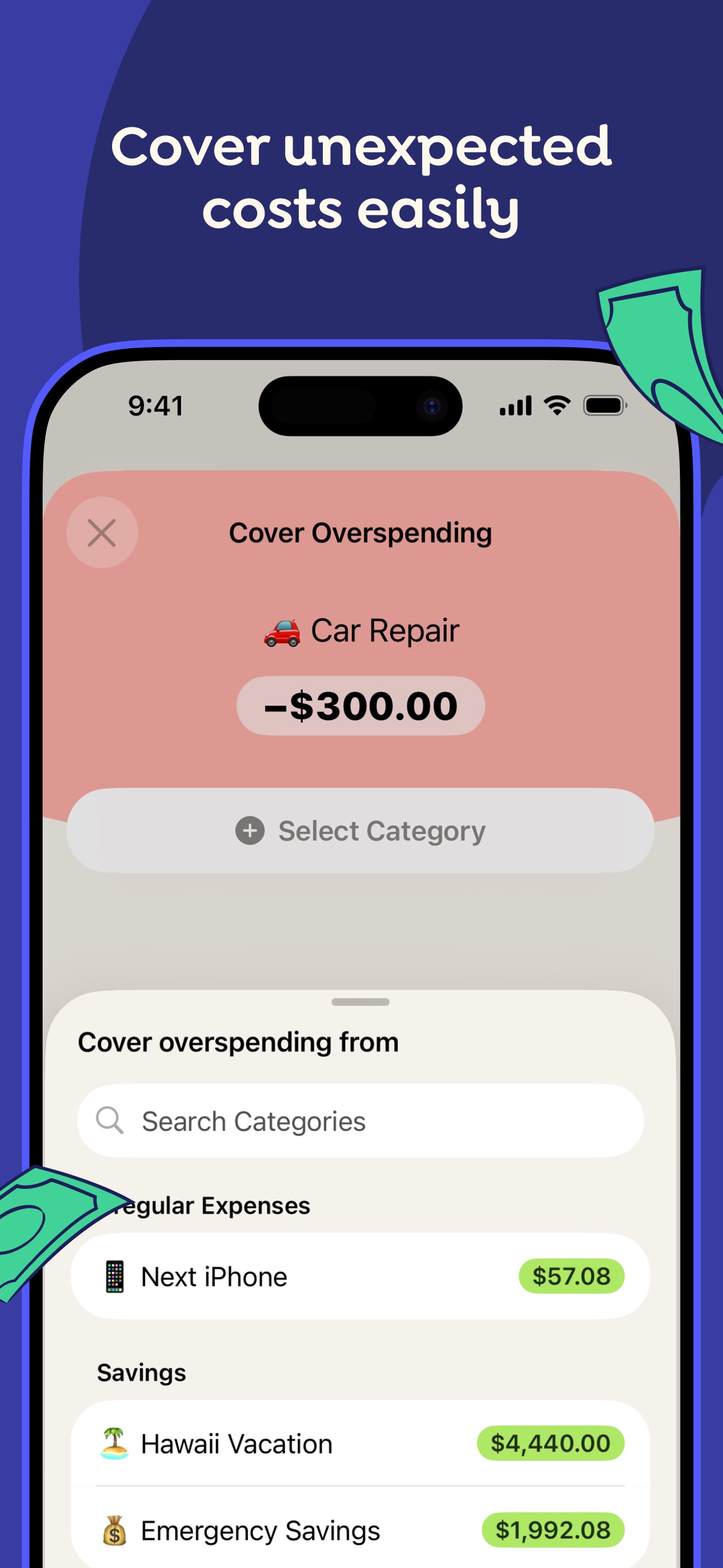
If you love this, you really love it. There is a reason YNAB users are some of the most loyal people in personal finance. The method works, as long as you work the method.
The one thing YNAB will never do
YNAB will tell you that you have twelve dollars left in Dining Out. It will turn the number red when you go past it. It will not, and this is the entire point, do a single thing when you open DoorDash anyway.
YNAB is a mirror. A good one. But a mirror has never stopped anybody from ordering the thirty-four dollar burrito at the end of a long day. It assumes you will see the red number and change course. For disciplined people that works. For everybody else, the red number is wallpaper by week three.
That is not a knock on YNAB. It was never trying to physically stop you. It just means that if your problem is not knowing your budget, but ignoring it, a better dashboard is not the fix.
What Hinder does instead
Hinder connects to your bank through Plaid and watches what you actually spend. You set a budget by category and, if you want, by individual app. Then you pick which apps get blocked. When your spending crosses the limit, those apps stop opening.
Not a notification. Not a red number. The app itself will not load. Blow your shopping budget and every shopping app you connected freezes at once. Amazon will not open. Nothing to dismiss, nothing to ignore.
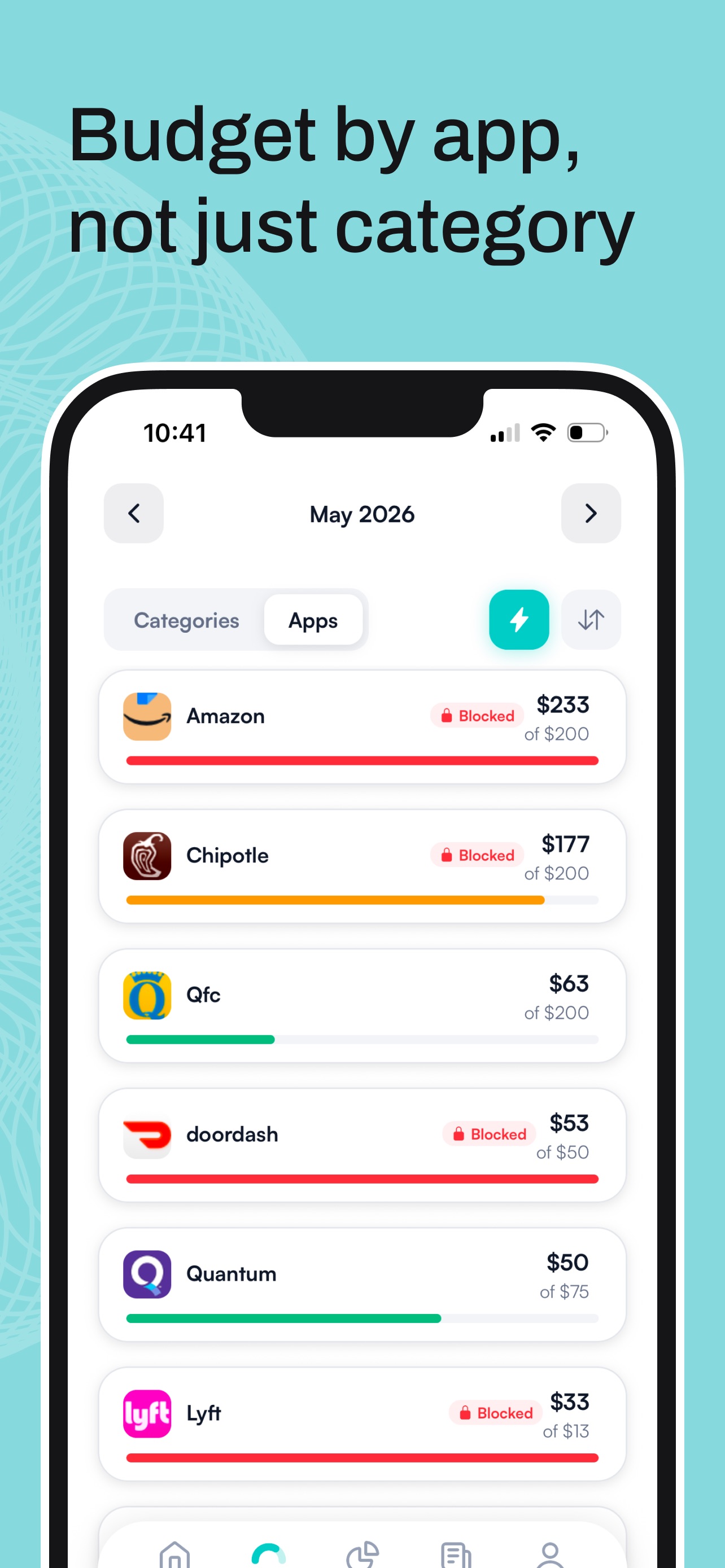
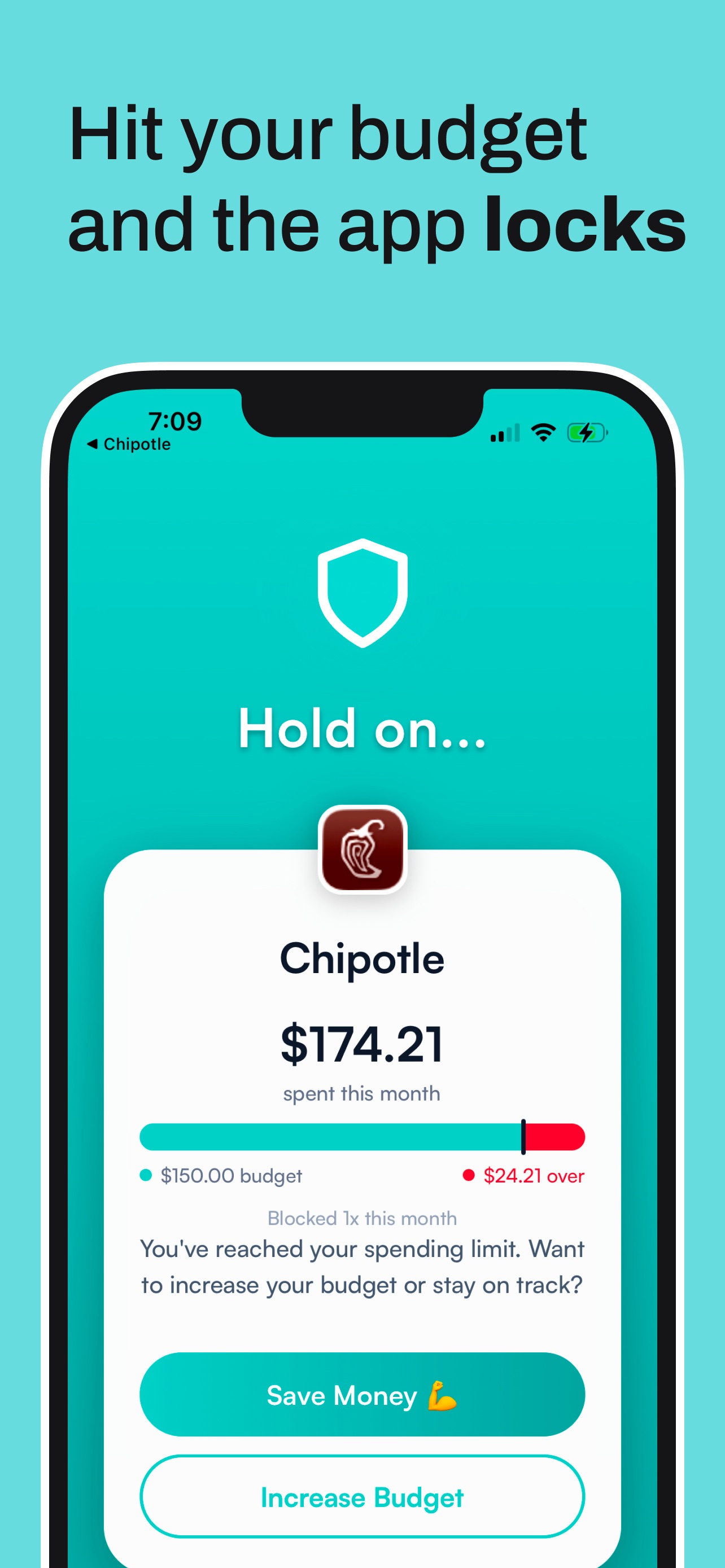
There is an override, on purpose, but with friction. You get a “hold on” screen instead of a one-tap bypass, so the impulse has to survive you looking at what you already spent. Most do not. The real way back in is raising your own limit, which is a decision, not a reflex.
Feature by feature
YNABHinderYNABYes, best in classHinderNoYNABNoHinderYesYNABNoHinderYesYNABYesHinderYes, via PlaidYNABYesHinderNo, on purposeYNABiOS, Android, webHinderiPhone onlyYNABReal. Give it a week.HinderAbout two minutesYNAB$14.99/mo or $109/yrHinderFree to tryPricing, without the spin
YNAB runs $14.99 a month or $109 a year after a 34 day trial, and students get a free year. Hinder is free to try. Either way, price should not decide this. Pick based on what you need the app to do.
Who should pick which
Pick YNAB if:
- You want to plan every dollar and enjoy doing it.
- You need reports, net worth, and a real budgeting method to grow into.
- You budget on Android, a laptop, or a shared setup.
- Knowing your numbers is enough to change your behavior.
Pick Hinder if:
- You already know your budget and blow past it anyway.
- Your damage is done inside a few apps: food delivery, Amazon, ride-hailing.
- You want the app to stop you, not just tell you.
- You are on an iPhone and want to be set up in two minutes.
The honest answer: you can run both
These two are not really rivals. They solve different halves of the same problem. YNAB is where you decide what your money is for. Hinder is what makes the decision stick when you are tired, bored, and one tap from spending it anyway.
Plan your categories in YNAB. Set the same limits in Hinder and point it at the apps you actually spend in. YNAB keeps the plan honest. Hinder keeps you honest. If you want the setup side of that, here is how to pick which apps Hinder blocks, and if you are still shopping around, here is our full comparison of the budgeting apps worth using in 2026. Still on the fence about leaving YNAB? Read what a real YNAB alternative looks like.
Common questions
Does YNAB block apps when you go over budget?
No. YNAB shows you the number, warns you when a category goes red, and lets you move money around to cover it. It never stops a purchase or blocks an app. That is by design. YNAB is a planning tool, not an enforcement tool.
Is Hinder a replacement for YNAB?
Only if planning was never your problem. YNAB goes far deeper on budgeting, reports, and giving every dollar a job. Hinder is built to stop the spend, not to plan it. Plenty of people plan in one and let the other hold the line.
Is Hinder cheaper than YNAB?
Slightly. Hinder is free to try with a one week free trial. YNAB is 14.99 dollars a month or 109 dollars a year with a 34 day free trial. Both are paid subscriptions with no permanent free tier.
Does Hinder do zero-based budgeting like YNAB?
No. Hinder gives you category budgets and per-app budgets, then enforces them. It does not ask you to assign every dollar a job the way YNAB does. It is deliberately lighter on the planning side and heavier on the stopping side.
Can I use YNAB and Hinder at the same time?
Yes, and it is a strong combo. Build the plan in YNAB, then set the same limits in Hinder so the apps you overspend in actually freeze when you cross the line.