
EveryDollar vs Hinder: the Ramsey plan vs the app that blocks
EveryDollar is the best app for running a zero-based budget the Dave Ramsey way, and the discipline is yours to supply. Hinder supplies the discipline for you, by locking your spending apps the moment you cross a limit. One writes the plan. The other makes the plan survive a Friday night.
EveryDollar is Ramsey Solutions' budgeting app, built around one idea: income minus everything equals zero. Before the month starts, every dollar gets a job. The free version is manual entry only, and Ramsey would tell you that is the whole point, because typing in each purchase is how you feel the money leave.
Hinder is not a planner. It connects to your bank, watches spending by category and by app, and when you go over a limit it blocks the apps you spend in using iOS Screen Time. Here is the honest head-to-head.
The short version
 EveryDollar
 HinderEveryDollarFree, or ~$17.99/mo or $79.99/yrHinderFree to tryEveryDollarYes, manual entry onlyHinder1 week trialEveryDollarPremium only, via PlaidHinderYes, via PlaidEveryDollarZero-based, every dollar gets a jobHinderLimits per category and per appEveryDollarNoHinderYesEveryDollariPhone, Android, webHinderiPhoneEveryDollarNo, budget onlyHinderNo, on purpose
What EveryDollar does really well
If you are working the Baby Steps, EveryDollar is best in class, full stop. Zero-based budgeting is one of the few methods with a real track record, and this is the cleanest app ever built for it. You list your paychecks, pour every dollar into a line item, and the Planned, Spent, and Remaining tabs keep score all month.
The free tier is genuinely usable, not a demo. You give up bank sync, but the Ramsey argument is that manual entry is the feature: punching in an 8 dollar ice cream run stings in a way a silent bank feed never will. There is even a little Risk of Overspending gauge on the budget screen that reads your habits back to you.
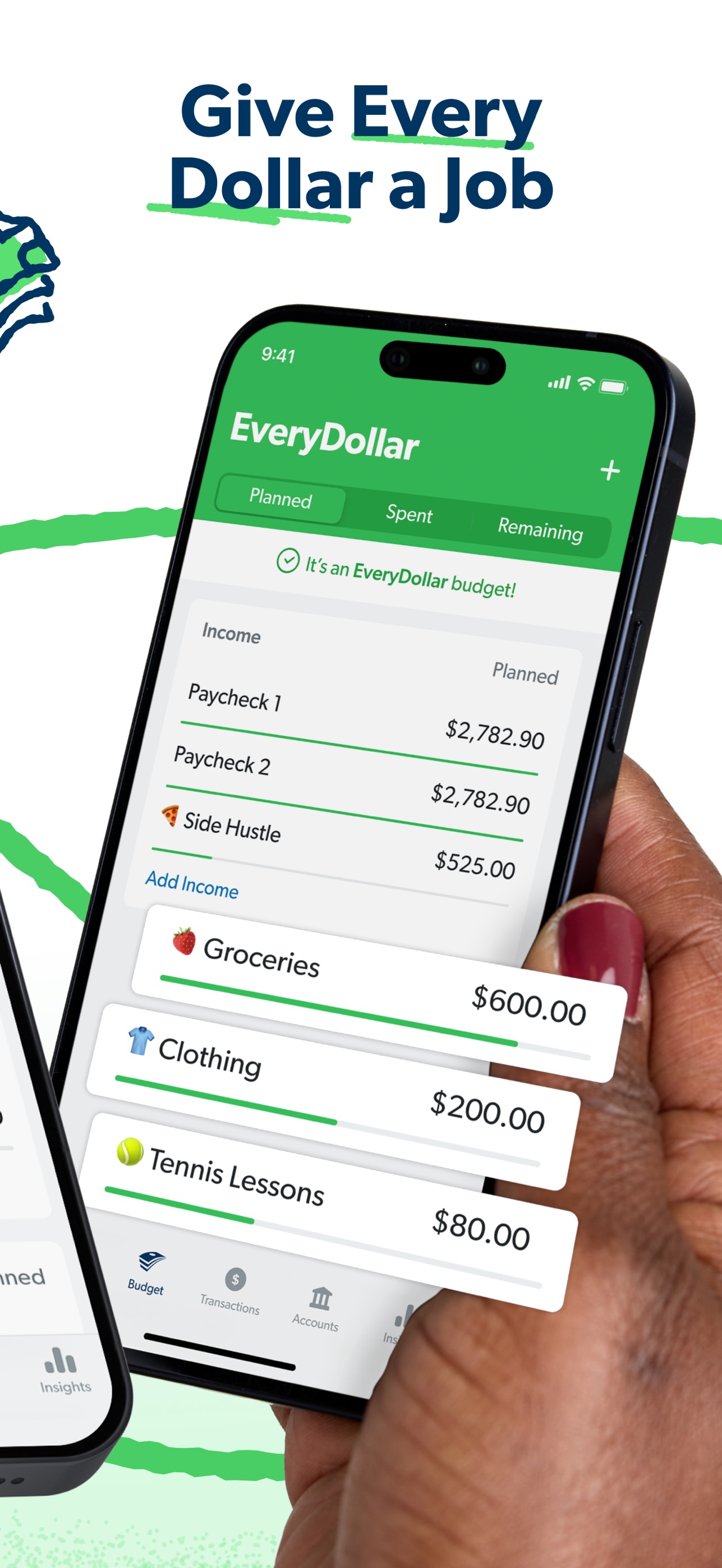
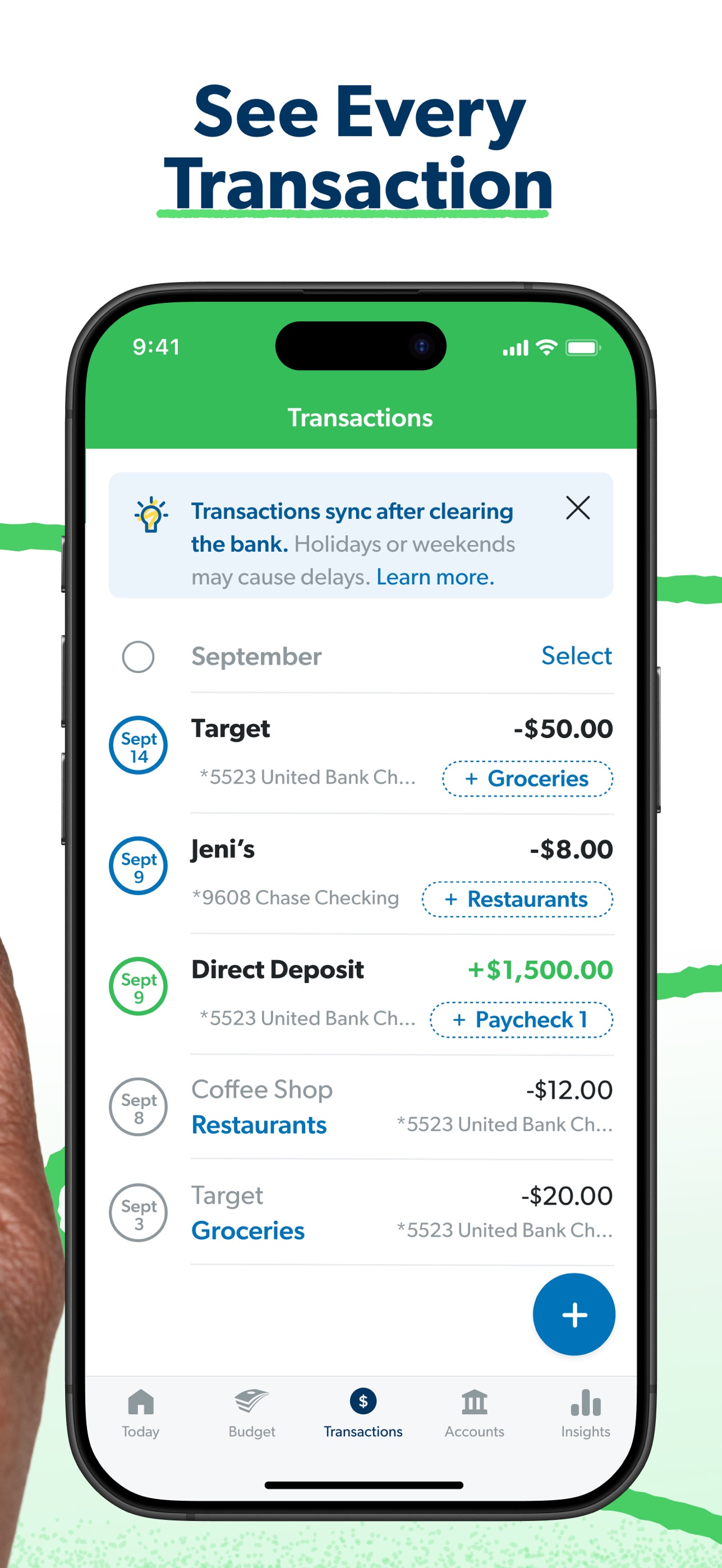
It also runs everywhere: iPhone, Android, and a proper web app, so you can build the month on a laptop and log spending from your phone. As a planning tool for people who believe budgeting is about behavior, it is hard to beat.
Does EveryDollar block apps when you go over?
No. Overspend a line and EveryDollar shows the overage and waits for you to fix it, usually by moving money from another line. That is it. It will not stop the DoorDash order, close Amazon, or so much as slow you down at checkout.
Ramsey says personal finance is 80 percent behavior, and he is right. But EveryDollar's entire answer to behavior is the plan plus your willpower. The plan is great at 9am on the first of the month. It is nowhere to be found at 9:40pm when your thumb is hovering over one-tap checkout, and the app that shows you a red number cannot grab your thumb.
Is EveryDollar Premium worth it in 2026?
Premium runs about $17.99 a month or $79.99 a year, and the headline feature is automatic bank sync through Plaid, plus planning and reporting extras. That is the entire bank sync price: roughly 80 dollars a year to stop typing.
Two honest problems. First, 80 dollars a year is more than some full apps charge, as our best budgeting apps for iPhone roundup shows. Second, it cuts against the method. If feeling every transaction is the point, paying to not feel them is a strange upgrade. Premium makes sense if manual entry is the only reason you would quit. It does not make sense if what you actually need is enforcement, because sync just logs the damage faster.
What Hinder does instead
Hinder is the enforcement layer a zero-based budget is missing. It connects to your bank through Plaid, tracks spending by category and by app, and warns you at 80 percent of a limit. At 100 percent it uses iOS Screen Time to block the apps you spend in. Not a red number. The app physically will not open.
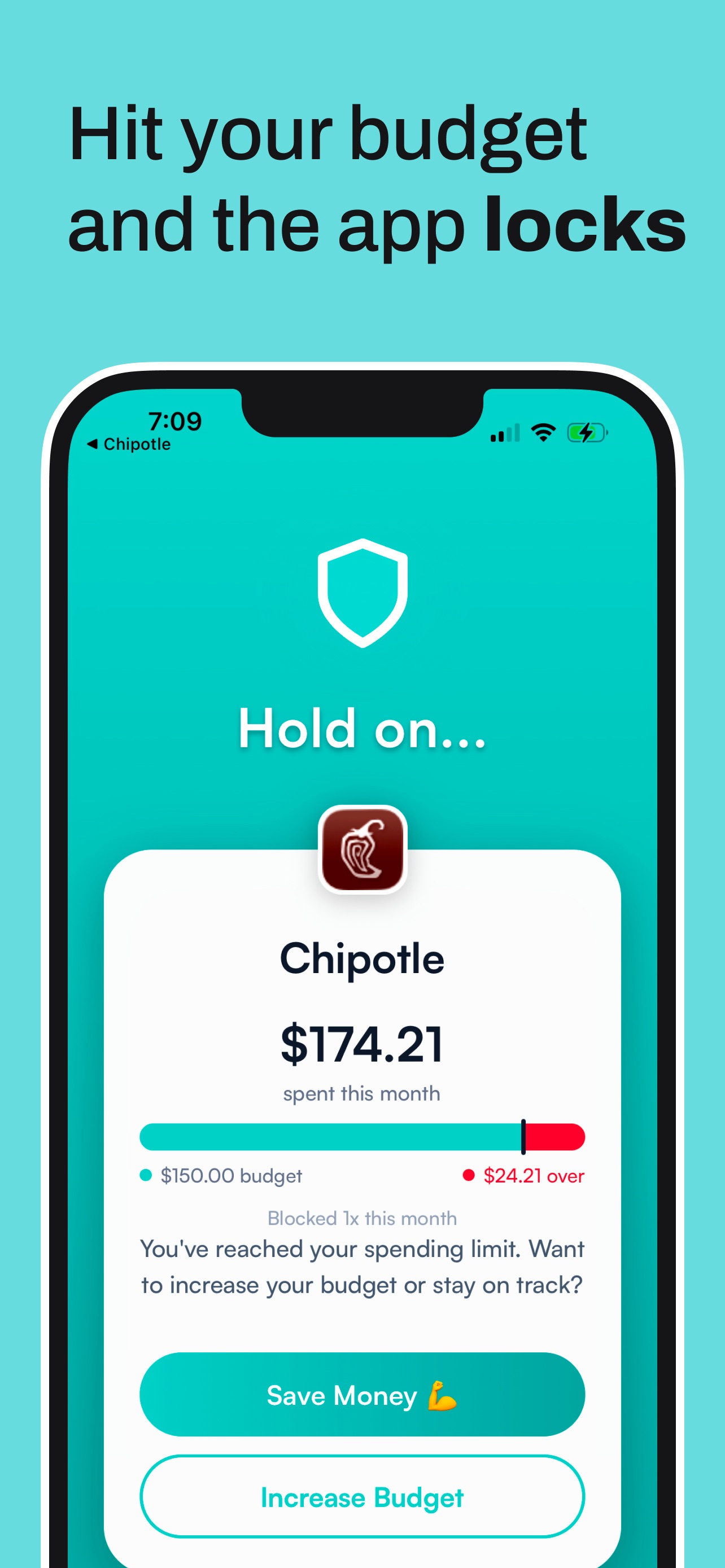
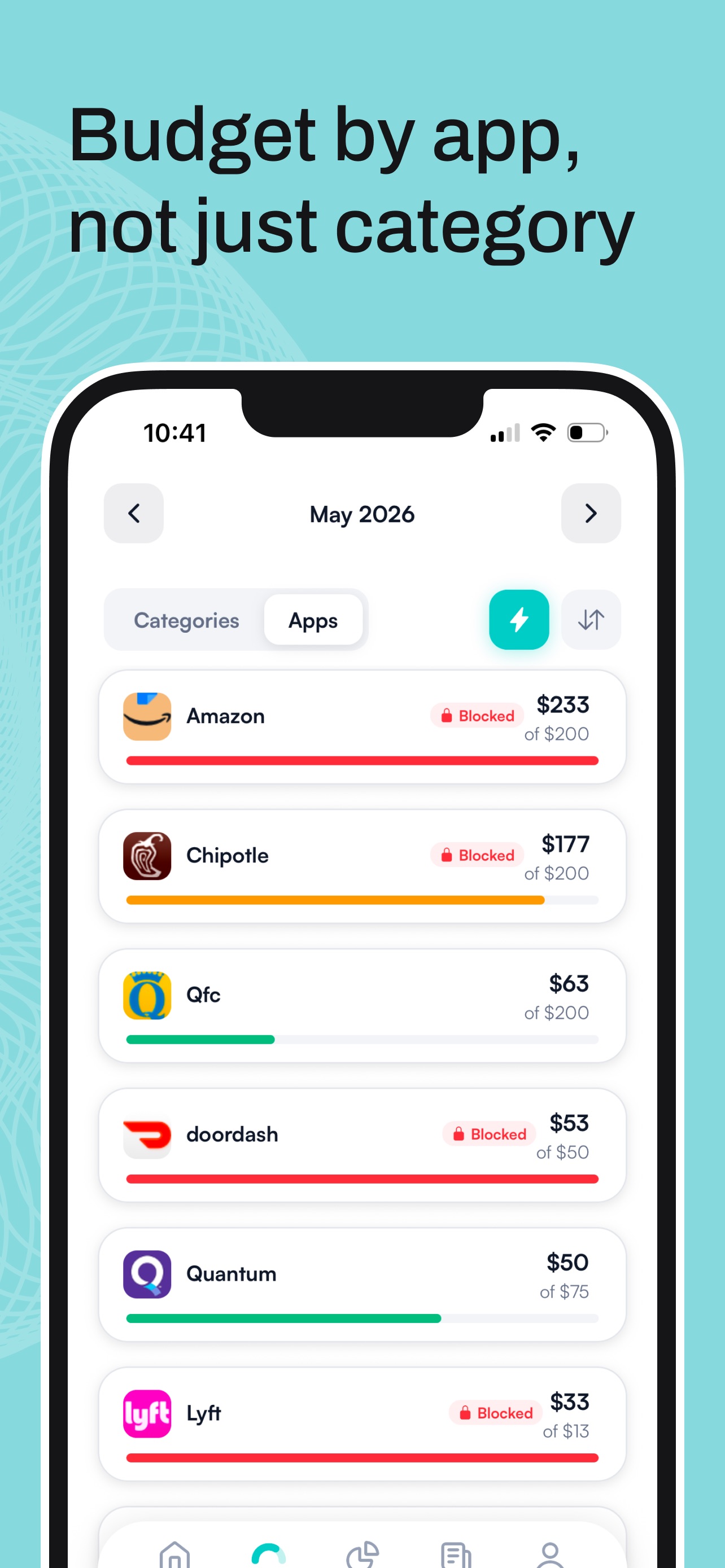
There is a short temporary unblock if you truly need in, and a real unblock means raising your own limit on purpose. That pause is where most impulse buys die. EveryDollar asks you to behave. Hinder makes misbehaving genuinely annoying.
Who should pick which
Pick EveryDollar if:
- You are working the Baby Steps and want the official tool.
- Zero-based planning is a ritual you actually keep.
- You want a real free tier and do not mind manual entry.
- You need Android or web, not just iPhone.
Pick Hinder if:
- You have made the plan before and broken it anyway.
- Your overspending lives in a few specific apps.
- You want a hard stop at the limit, not a red number.
- You are on iPhone and want enforcement, not homework.
The honest answer: plan in one, enforce with the other
If you are a Ramsey person, you already believe in hard rules and behavior change. Blocking is just a hard rule your phone enforces for you. Build the zero-based budget in EveryDollar, free, then set the same limits in Hinder so the apps go dark the second a line is spent.
Hinder is the only budgeting app that does this, and it made our list of apps that actually stop you from spending money for exactly that reason. And if you are also weighing envelope systems, our guide to Goodbudget alternatives covers that side of the fence.
Common questions
Does EveryDollar block apps when you overspend?
No. When a budget line goes over, EveryDollar shows the overage and leaves the rest to you. It never locks an app or stops a purchase. Hinder is the app that actually does that.
How much does EveryDollar Premium cost?
About $17.99 a month or $79.99 a year. The main thing it adds is automatic bank sync through Plaid, plus some planning and reporting extras. The free version is manual entry only.
Does the free version of EveryDollar connect to your bank?
No. On the free plan you type in every transaction yourself, which Ramsey fans consider a feature, not a gap. Bank sync requires Premium.
Is EveryDollar good for the Baby Steps?
Yes. It is built by Ramsey Solutions around zero-based budgeting, so it fits the Baby Steps better than any other app. It plans the month. It just cannot enforce it.
Can I use EveryDollar and Hinder together?
Yes, and they cover each other's blind spot. EveryDollar gives every dollar a job before the month starts, and Hinder locks your spending apps if you break the plan. One writes the rules, the other enforces them.