
Goodbudget vs Hinder: envelopes you fill vs apps that lock
Both apps make budgeting harder on purpose. Goodbudget adds the friction up front, before you spend. Hinder adds it at the exact moment you go over. That one difference decides which one you need.
Goodbudget is the digital version of the old cash envelope trick. You split your income into envelopes, give every dollar a job before the month starts, and watch each envelope drain as you spend. It has been around for years, it works on basically every device, and there is a real free plan. People who love it really love it.
Hinder is not a planner. It connects to your bank, watches your spending, and when you blow a budget it locks the apps you spend in. Different jobs, different apps. Here is where each one earns its spot on your phone.
The short version
 Goodbudget
 HinderGoodbudgetEnvelopes you fill by handHinderA brake wired to your bankGoodbudgetFree, or $10/mo or $80/yrHinderFree to tryGoodbudgetYes, no card neededHinder1 week trialGoodbudgetiPhone, Android, webHinderiPhoneGoodbudgetNoHinderYesGoodbudgetPeople who want to plan every dollar up frontHinderPeople who want to be stopped mid-spend
What Goodbudget does really well
The envelope method is one of the few budgeting systems that actually changes behavior, because you decide where money goes before it is gone. On the free plan you also type in each purchase yourself, and that manual step is a feature, not a bug. Punching in “42 dollars, dinner” makes you feel the money leave in a way a silent bank feed never does. It is privacy-friendly too, since the free plan never touches your bank at all.
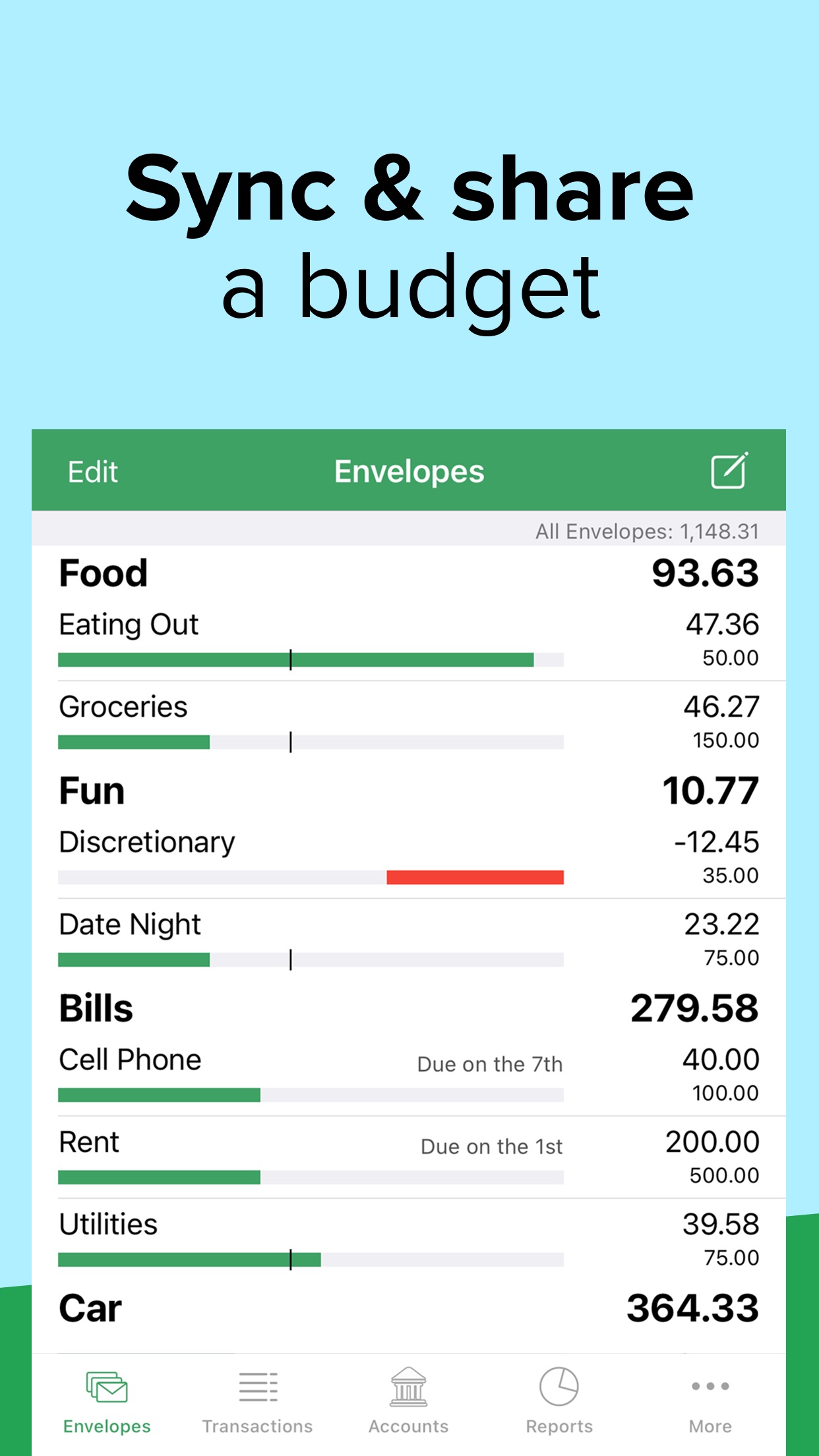
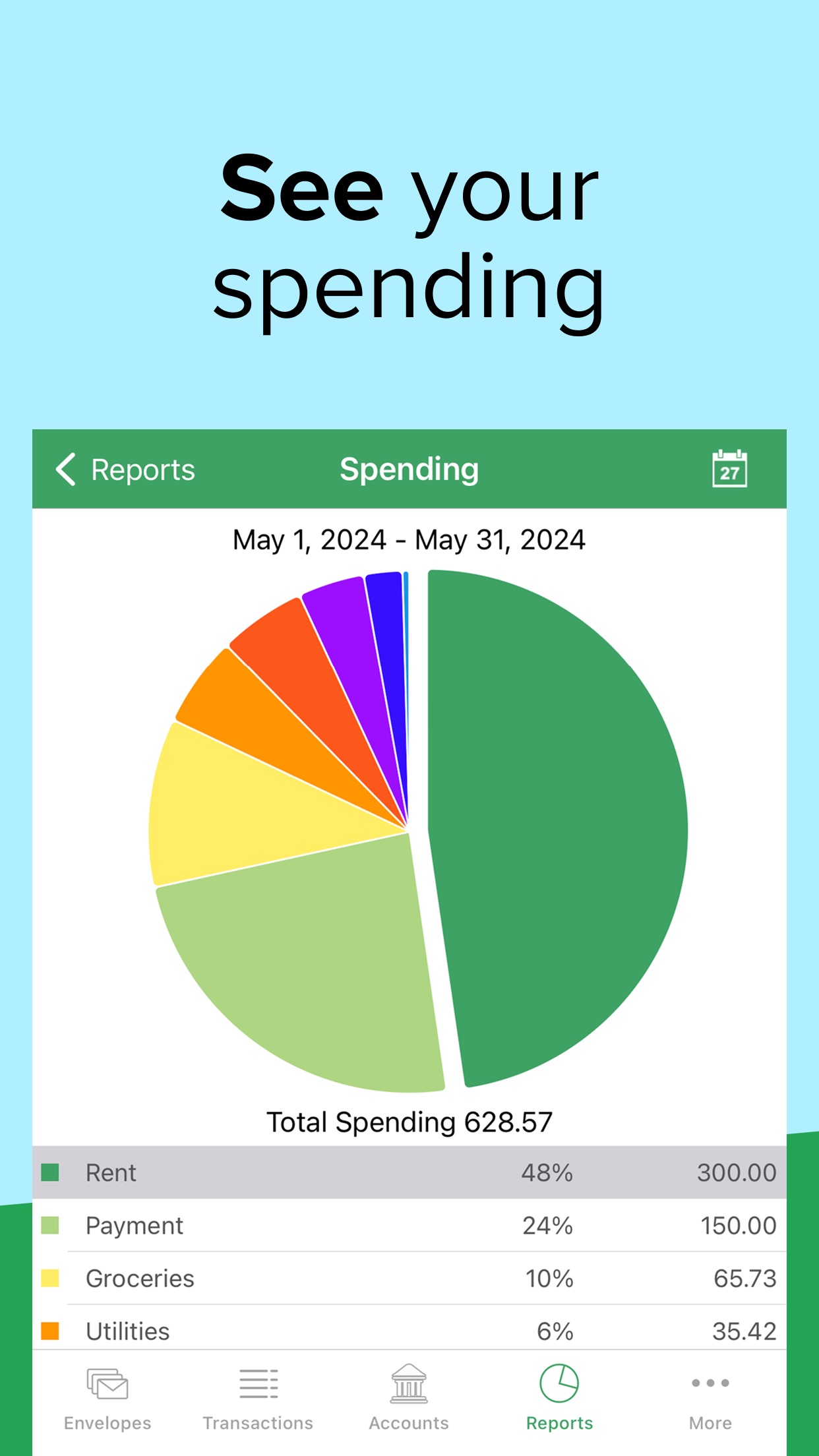
Add a free tier, iPhone, Android, and web, plus optional bank sync through Plaid on Premium, and you have a solid, honest planning tool. If you want to sit down once a month and give every dollar a home, Goodbudget is genuinely great at that.
The gap: it plans, then it hopes
Here is the thing the envelope method quietly depends on. It works only if you keep the envelopes current and then choose to obey them. On the free plan that means logging every purchase, so the moment you get lazy and skip a few, your envelopes lie to you. On Premium the sync fixes the logging, but nothing fixes the obeying.
Because when an envelope hits zero, Goodbudget turns the bar red and shows you a negative number. That is it. It will not stop the DoorDash order. It will not close Amazon. It shows you the damage and trusts you to do the right thing, which is exactly the willpower you already ran out of. That is not a flaw in Goodbudget. It just means if your budget keeps dying at the checkout screen, a redder envelope is not the fix.
What Hinder does instead
Hinder connects to your bank through Plaid, tracks your spending by category and by app, and when you cross a limit it blocks the apps you spend in. Not a red bar. The app will not open. Blow your shopping budget and every shopping app you connected locks at the same time. No manual entry, no honor system. It reads your real transactions and acts on them.
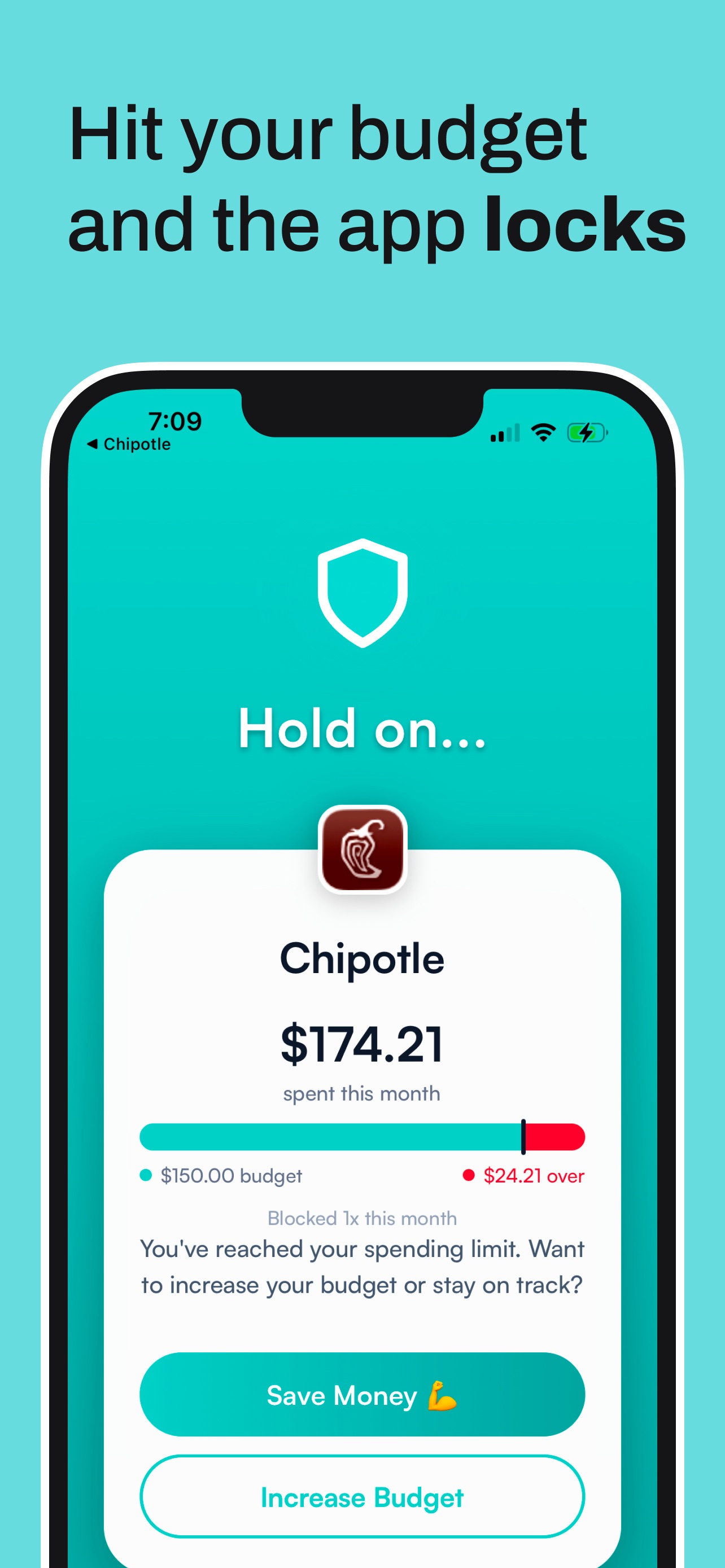
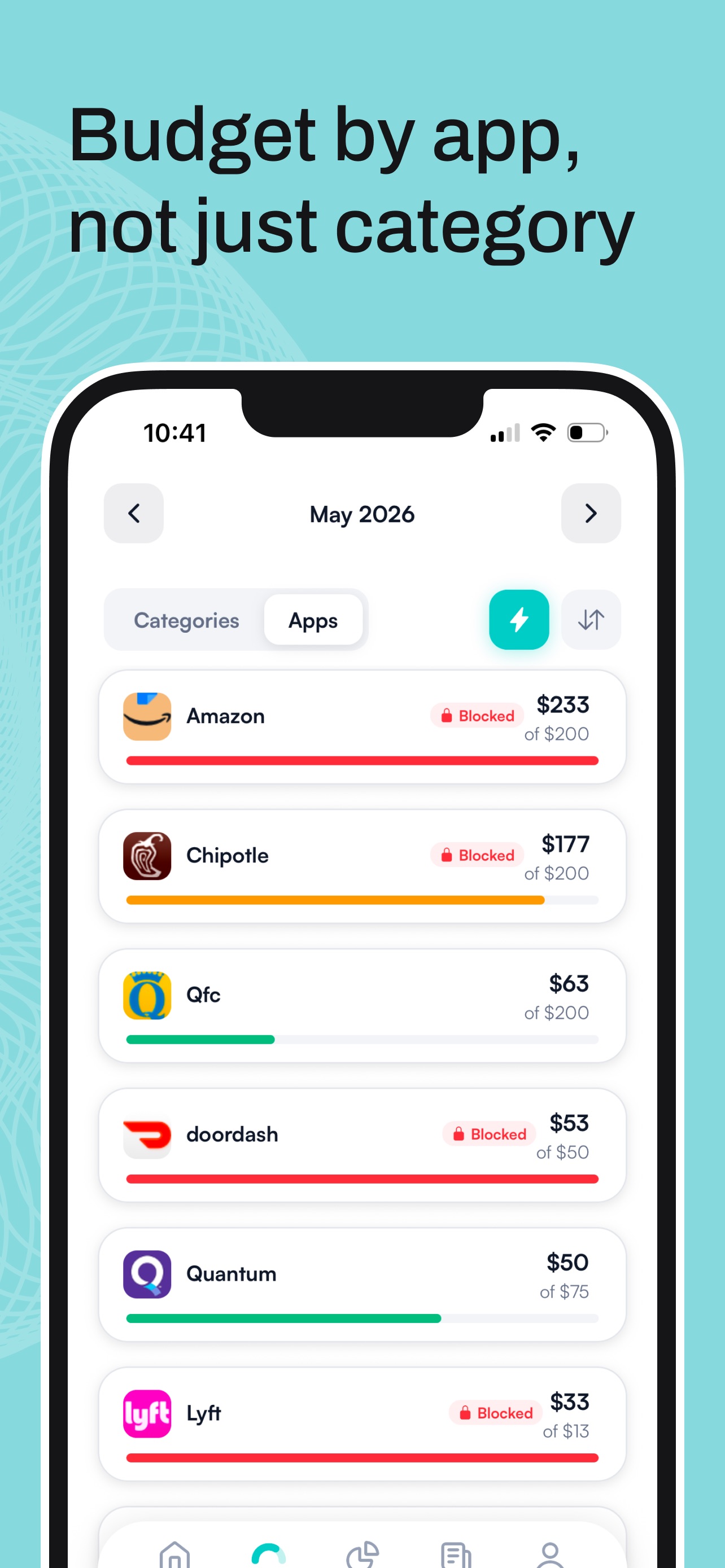
There is an override, on purpose, but it makes you sit with a quick “hold on” screen first, and a true unblock means raising your own limit. Enough friction that most impulse buys die right there. Goodbudget asks you to be disciplined. Hinder just does the disciplining for you.
Feature by feature
GoodbudgetHinderGoodbudgetNoHinderYesGoodbudgetNoHinderYesGoodbudgetYes, best in classHinderNo, budgets by category and appGoodbudgetOptional, Premium via PlaidHinderYes, via PlaidGoodbudgetYes on free, core to the methodHinderNoGoodbudgetiPhone, Android, webHinderiPhone onlyGoodbudgetFree, or $10/mo or $80/yrHinderFree to tryPricing, plainly
Goodbudget has the friendlier price. The free plan is real, with no card and no trial clock, though it caps your envelopes and accounts and keeps you on manual entry. Premium runs 10 dollars a month or 80 dollars a year and adds unlimited envelopes, more devices, longer history, and the automatic bank sync.
Hinder is free to try, iPhone only. And it does one thing Goodbudget cannot at any price: it stops the spend instead of just logging it. If blocking a few impulse buys a month is worth it, and for most people it is, this is an easy call.
Who should pick which
Pick Goodbudget if:
- You like planning every dollar into envelopes up front.
- You want a free, cross-platform option that works on Android too.
- Typing in purchases yourself helps you feel the money leave.
- Seeing an envelope hit zero is enough to make you stop.
Pick Hinder if:
- You have made the plan before and blown past it anyway.
- Your overspending happens inside a few specific apps.
- You want a hard limit, not a red bar and good intentions.
- You are on iPhone and want it set up in a couple minutes.
The honest answer: run both
These two are not really rivals. One is where you make the plan, the other is where the plan survives a rough Tuesday night. Use Goodbudget to divide your money into envelopes and think it through. Use Hinder to make sure the apps go dark the second you cross a line.
New to Hinder? Start with which apps to block first, see the full field in our 2026 budgeting app comparison, or if you are on your way out of Goodbudget, read the best Goodbudget alternatives.
Common questions
Does Goodbudget block apps when you overspend?
No. Goodbudget shows an envelope going red or negative and trusts you to stop on your own. It never locks an app or blocks a purchase. Hinder is the one that actually does that.
Does Goodbudget connect to your bank?
On the free plan, no. You type in transactions by hand, which is part of the appeal if you like keeping your bank out of it. Goodbudget Premium adds optional automatic bank sync through Plaid. Either way it only records the spending, it does not stop it. Hinder also uses Plaid, but it uses that data to block the apps you overspend in.
Which is cheaper, Goodbudget or Hinder?
Goodbudget wins on price. It has a free plan, and Premium is 10 dollars a month or 80 dollars a year. Hinder is free to try. The real question is whether cheaper tracking actually fixes your overspending.
Is Goodbudget only on iPhone?
No. Goodbudget runs on iPhone, Android, and the web, and it syncs across your devices. Hinder is iPhone only, because the blocking relies on iOS Screen Time.
Can I use Goodbudget and Hinder together?
Yes, and they pair well. Plan your month in Goodbudget's envelopes, then let Hinder enforce those limits by locking the apps you overspend in. One sets the plan, the other makes it stick.