
How to stop ordering DoorDash (for good, not just this week)
The way to stop ordering DoorDash that actually holds is to take the 9pm decision away from yourself: a food delivery limit that locks the app when you hit it, plus friction everywhere else. Deleting the app doesn't work. Reinstalling takes 30 seconds.
Why do I keep ordering DoorDash?
Because the app is very good at its job, and its job is the next order. The loop usually looks the same. A cue: you're tired, it's late, the fridge has condiments and one egg. Then zero friction: your card is saved, your last order is one tap from repeating, and the whole thing takes under two minutes.
Then the fee framing. DoorDash splits the cost into a menu price, a service fee, a delivery fee, sometimes a small order fee, and a tip. Each line looks small. The total is what stings, and you only see it on your bank statement. Add push notifications timed for when you're hungry and you have a habit that runs itself. If it feels more like a reflex than a choice, our piece on breaking a food delivery addiction goes deeper on the loop.
Why deleting DoorDash doesn't work
Deleting the app removes the icon, not the account. Your saved card, your address and your order history are all waiting. So on night four, when you're wiped out, you reinstall it in 30 seconds and the streak is gone. Worse, it feels like a failure, which makes the next order easier. Deleting adds friction exactly once. What you want is friction every single time, and a hard stop you can't talk your way past.
How to stop ordering DoorDash: 7 things that actually hold
Do the first three tonight. They take ten minutes combined.
1. Kill the promo notifications
In the DoorDash app, tap the Account icon, scroll to Notifications, and switch off every type you don't need. Keep order updates if you like. Kill the promotions. A “40% off tonight” ping at 8:45pm is a cue someone else chose for you.
2. Remove your saved cards
Go to Account, then Payment, and swipe left on every saved method you can. DoorDash makes you keep one on file, so leave the card you'd least like to see a $38 burrito on. Typing a card number from memory is a small wall. Small walls work at 9pm.
3. Cancel DashPass
DashPass costs $9.99 a month or $96 a year for $0 delivery fees and a lower service fee on eligible orders. That's a great deal if you order a lot, and ordering a lot is the problem. It also creates a sunk-cost itch to “get your money's worth.” Tap the account icon, then Manage DashPass, then cancel at least 24 hours before your next billing date.
4. Make the alternative the default
You don't order DoorDash because you love DoorDash. You order because there's nothing easier. Fix that. Buy groceries you'll actually cook on a tired night, not the ambitious ones. Keep two frozen meals as a backup. If you still want restaurant food, pick it up: LendingTree found DoorDash delivery cost 83.3% more than picking up the same order.
5. Set Screen Time downtime for the 9pm window
Most bad orders happen in the same two hours. Schedule Downtime for that window and leave DoorDash off the allowed list. Steps are below. It won't stop a lunch order, but it covers the danger zone.
6. Tell someone, or keep a streak
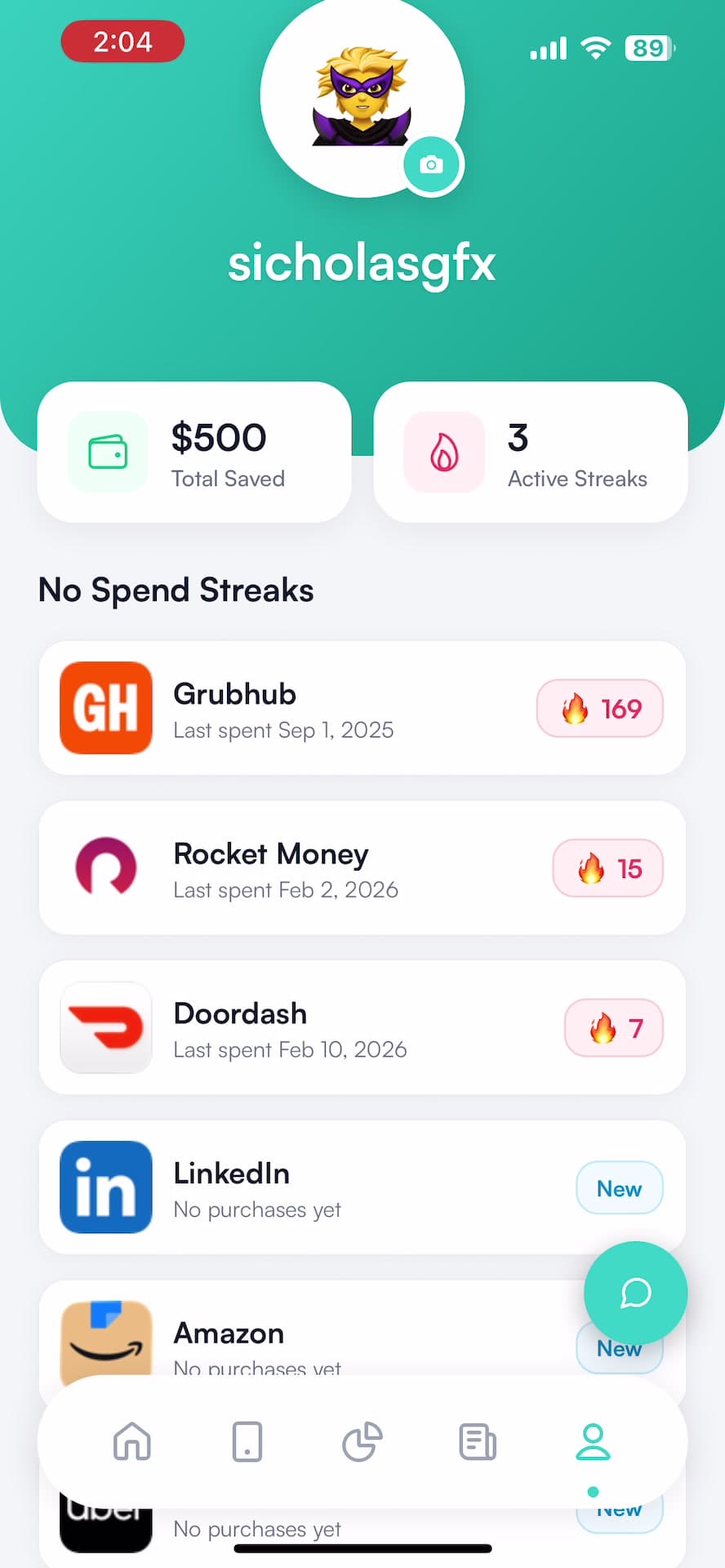
Say it out loud to a partner or roommate: “I'm not ordering this month.” It's weirdly effective. If that's not your style, track a no-spend streak. Watching the day count and the estimated savings climb gives you something to lose.
7. Set a food delivery limit that locks the app
This is the one that makes the other six stick. Pick a monthly number for food delivery. When you hit it, DoorDash stops opening. Not a guilt notification. A locked app. Our post on how to stop overspending on DoorDash covers picking the number if you want the budget side.
How do I block DoorDash on my iPhone?
With Screen Time (free, time-based)
- Open Settings, then Screen Time, and set a Screen Time passcode. Better yet, have a friend type it.
- For a daily cap: tap App Limits, then Add Limit, find DoorDash, set a time, and turn on Block at End of Limit.
- For the 9pm window: tap Downtime, set your hours, and turn on Block at Downtime.
Without the passcode, you get an “Ignore Limit” button and the block is decoration.
With Hinder (money-based)
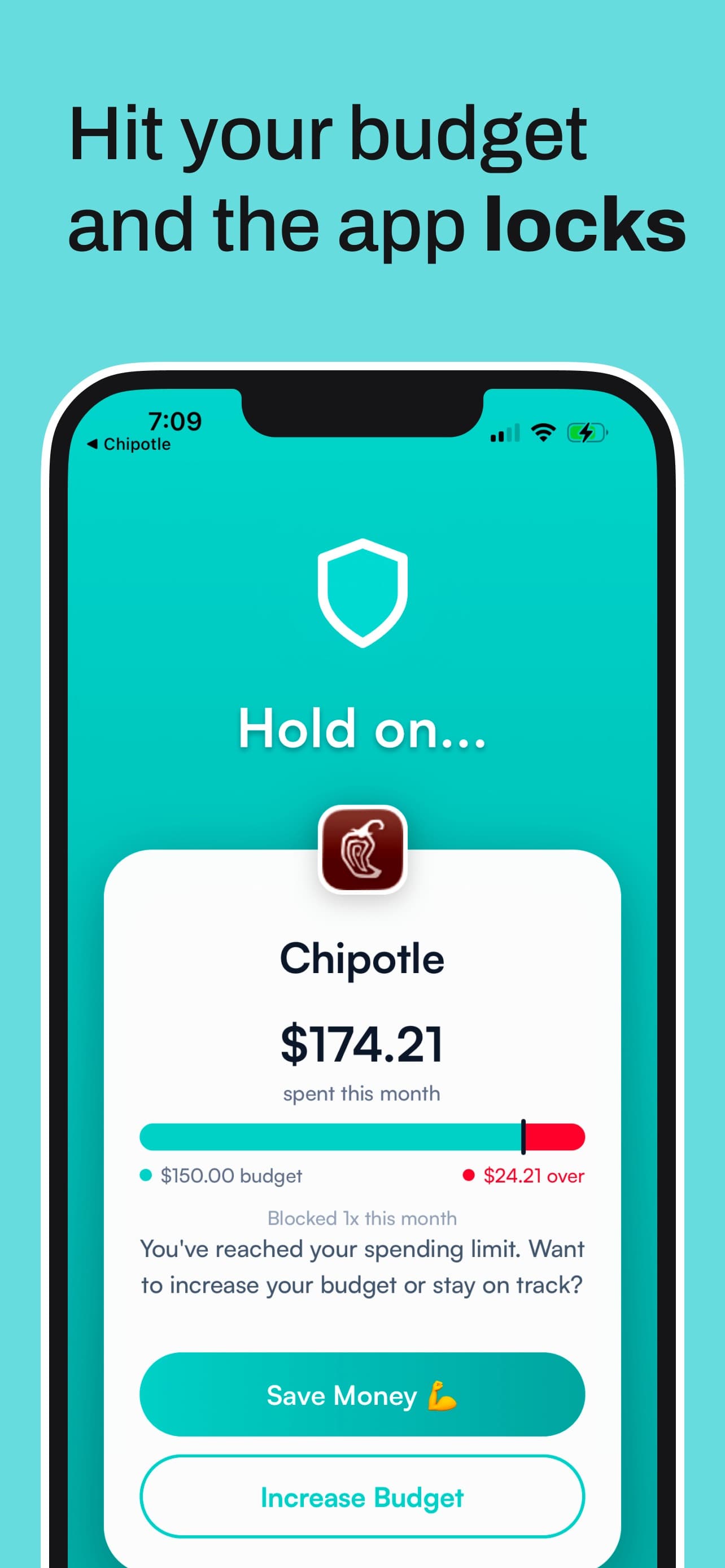
Hinder connects to your bank and cards through Plaid and watches what you actually spend. Make a “Food delivery” category with a monthly limit. At 80% you get a push warning. At 100%, Screen Time locks DoorDash, and every other app in the category locks with it.


The honest difference
Screen Time limits minutes, and placing an order takes about two. Hinder limits dollars, which is the thing you care about. Screen Time is free and works fine for the late-night window if someone else holds the passcode. Hinder is iPhone only and needs a subscription after the free trial. Plenty of people run both. Same setup works for blocking Uber Eats.
What if I need DoorDash sometimes?
Good. You're not quitting food. Sick days, moving days, and the night your oven dies are real. That's why the limit is a number and not zero. On the block screen you can tap Save Money and close it, or Increase Budget. A temporary pass lasts about five minutes. The real way back in is raising the limit, on purpose, as a decision you can see. That's the whole point: ordering becomes a choice again instead of a reflex.
Set it up in two minutes
- Install Hinder and connect your bank through Plaid.
- Create a Food delivery category and set a monthly limit you can live with.
- Add DoorDash, Uber Eats and Grubhub as the apps it locks. Here's how to choose which apps to block, including the Screen Time permission.
Common questions
How do I stop my DoorDash addiction?
Stop counting on willpower at 9pm. Turn off DoorDash promo notifications, delete your saved cards, cancel DashPass, and set a monthly food delivery limit that locks the app when you hit it. Friction plus a hard stop beats deleting the app, which you'll reinstall in 30 seconds.
Can I block DoorDash on my iPhone?
Yes, two ways. Screen Time can block it by time with an App Limit or Downtime, but it only holds if someone else knows the passcode. Hinder blocks it by money, locking DoorDash through Screen Time once your food delivery spending hits the limit you set.
Is DashPass worth it if I'm trying to order less?
Usually not. DashPass is $9.99 a month or $96 a year, and it pays for itself by getting you to order more, since $0 delivery fees make every order feel cheaper. If the goal is fewer orders, cancel it at least 24 hours before your next billing date.
How much more does DoorDash cost than pickup?
A LendingTree analysis from late 2025 found DoorDash delivery cost 83.3% more than picking up the same order yourself, about $9.75 extra per order. Across DoorDash, Uber Eats and Grubhub, the average markup was 79.5%, or $9.30 an order.
Does deleting the DoorDash app help?
For a few days. Your account, saved card and order history all survive the delete, so reinstalling takes about 30 seconds and you're right back to one-tap checkout. Deleting adds friction once. Killing notifications, removing cards and setting a limit that locks the app add it every time.