
How to block Uber Eats
The only Uber Eats block that holds is tied to money, not time. Hinder watches your spending through your bank and locks the app with iOS Screen Time the second you cross the limit you set. Everything else can be undone in ten seconds.


One food delivery limit can lock all three at once.
What an Uber Eats order actually costs
A $15 order lands around $30 once you stack the service fee, the delivery fee, the marked-up menu prices, and the tip. Order three nights a week and that is over $350 a month, half of it not food. Same math as overspending on DoorDash, different logo on the bag.
Why deleting the app does not stick
Re-downloading takes ten seconds and your card is still saved. Deleting punishes future you without adding any real friction for hungry you, which is why it works for about three days. If ordering has started to feel less like a decision and more like a reflex, our piece on food delivery addiction digs into that loop.
Can Screen Time block Uber Eats?
Sort of, and that is the problem. Screen Time sets time limits, and you know your own passcode. A one-hour daily limit does nothing against an order that takes 90 seconds, and the Ignore Limit button is right there when it does kick in. Time limits are not money limits.
How to set a real Uber Eats spending limit
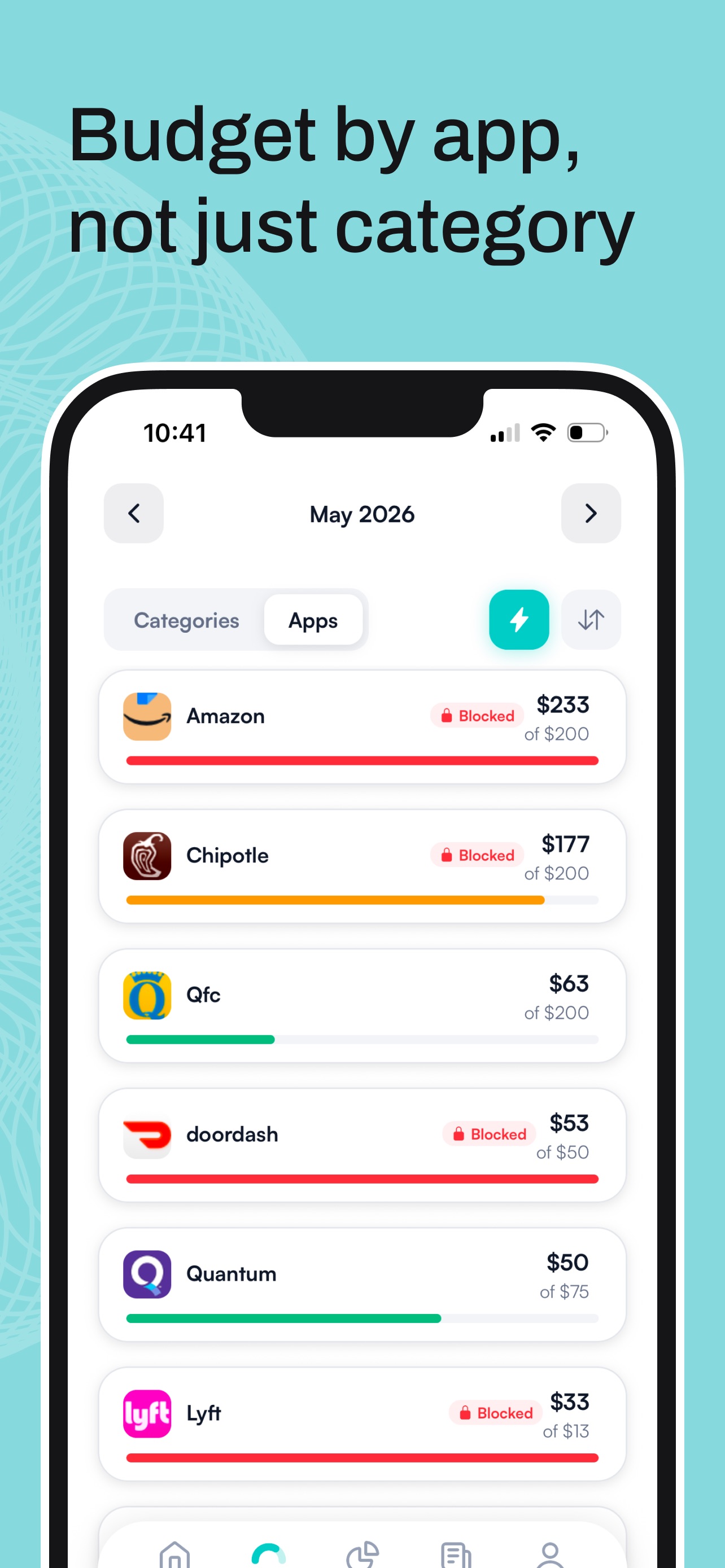
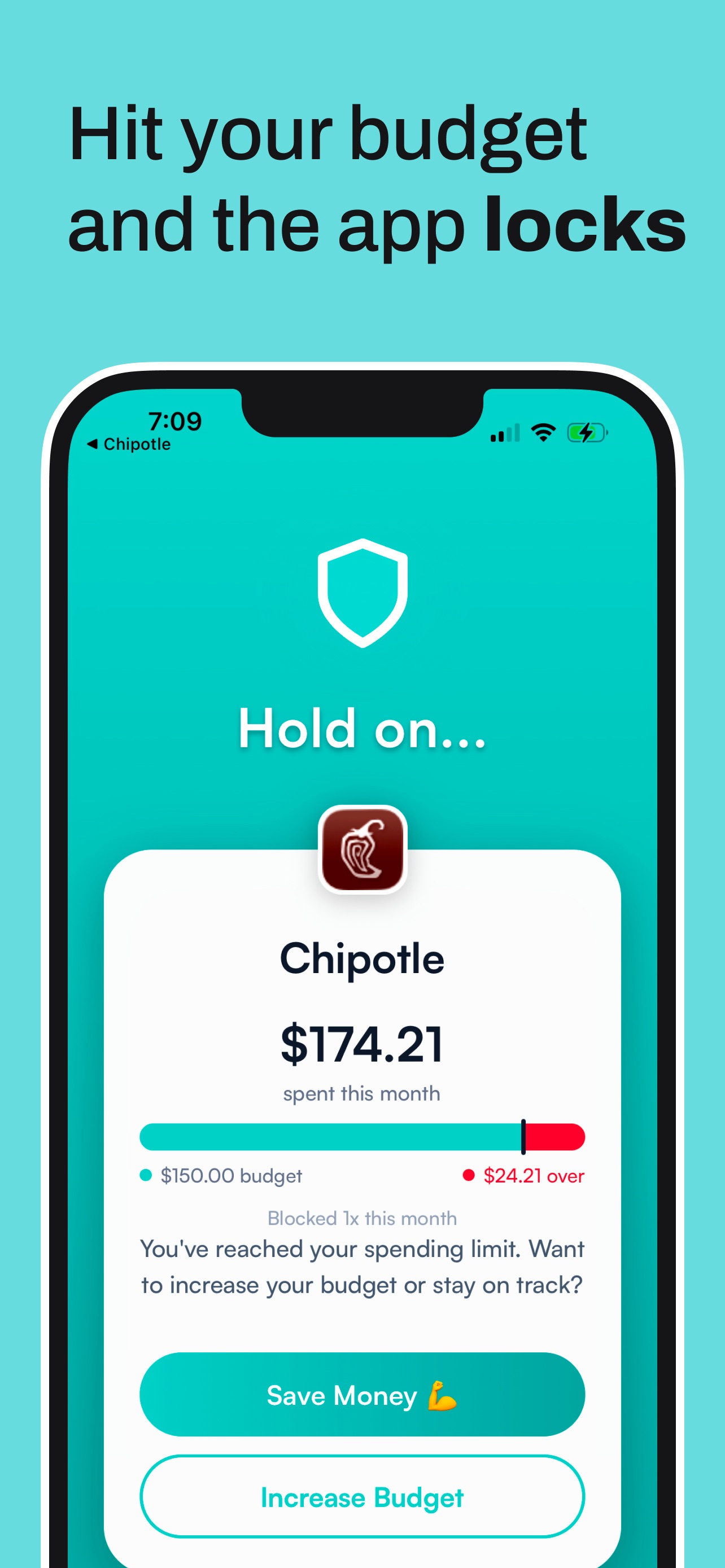
Hinder connects to your bank through Plaid and puts a monthly dollar limit on Uber Eats itself, or on your whole food delivery category so DoorDash and Grubhub lock too. At 80% you get a warning push. At 100% the app physically will not open. No passcode to know, nothing to ignore.
Set it up in two minutes
- Connect your bank through Plaid.
- Set a limit on Uber Eats, or a food delivery category limit that covers DoorDash and Grubhub too.
- Pick the apps the limit should lock. Here is how to choose which apps to block.
Common questions
How do I block Uber Eats on my iPhone?
Use a budgeting app that blocks apps, like Hinder. It connects to your bank, tracks your Uber Eats spending, and locks the app with iOS Screen Time when you hit the monthly limit you set.
Does Uber Eats have a spending limit setting?
No. Uber Eats has no built-in spending cap, which is not an accident. The limit has to come from outside the app.
Can I block Uber Eats and DoorDash together?
Yes. Put both in a food delivery category in Hinder and set one limit. Cross it and every app in the category locks at the same moment.
Does Screen Time block Uber Eats?
Only by time, and only until you type in your own passcode. A time limit does nothing against a $40 order that takes 90 seconds to place.
Is Hinder free?
Free to download and try. iPhone only. It connects through Plaid and uses iOS Screen Time to physically lock the apps you overspend in.