The best app to stop impulse buying (2026)
An impulse buy takes ten seconds. The app that stops it has to be standing in that window before you are.
The best app to stop impulse buying is Hinder. You link your bank, set a shopping budget, and when your real spending goes over it, Amazon, Temu, Shein, and the rest of your shopping apps lock. Other impulse apps make you pause or wait out a timer. Hinder is the only one that ties the lock to your actual money. iPhone only.
Why do I impulse buy on my phone?
Because the shopping apps are very, very good at their jobs. Think about the last thing you bought that you didn't plan to. You opened Temu or TikTok to kill a minute, a $14 thing scrolled past, and your card was already saved. Tap, tap, Apple Pay, done. The whole purchase fits inside about ten seconds, and nobody's budget makes it into that window.
That's the part most advice skips. You don't impulse buy because you lack a spreadsheet. You impulse buy because the gap between "oh, cute" and "order placed" is basically zero, and every flash sale, free shipping threshold, and "only 3 left" badge is designed to keep it that way. Any app that actually helps has to put something in that gap. The only question is what.


What is the best app to stop impulse buying?
Hinder. Here's the logic. Most impulse buys aren't a problem one at a time. A $22 top from Shein is fine. The fifth one this month is the problem. So the useful question isn't "do you really want this?" It's "have you already spent what you meant to spend?" And the only way an app can answer that is by seeing your transactions.
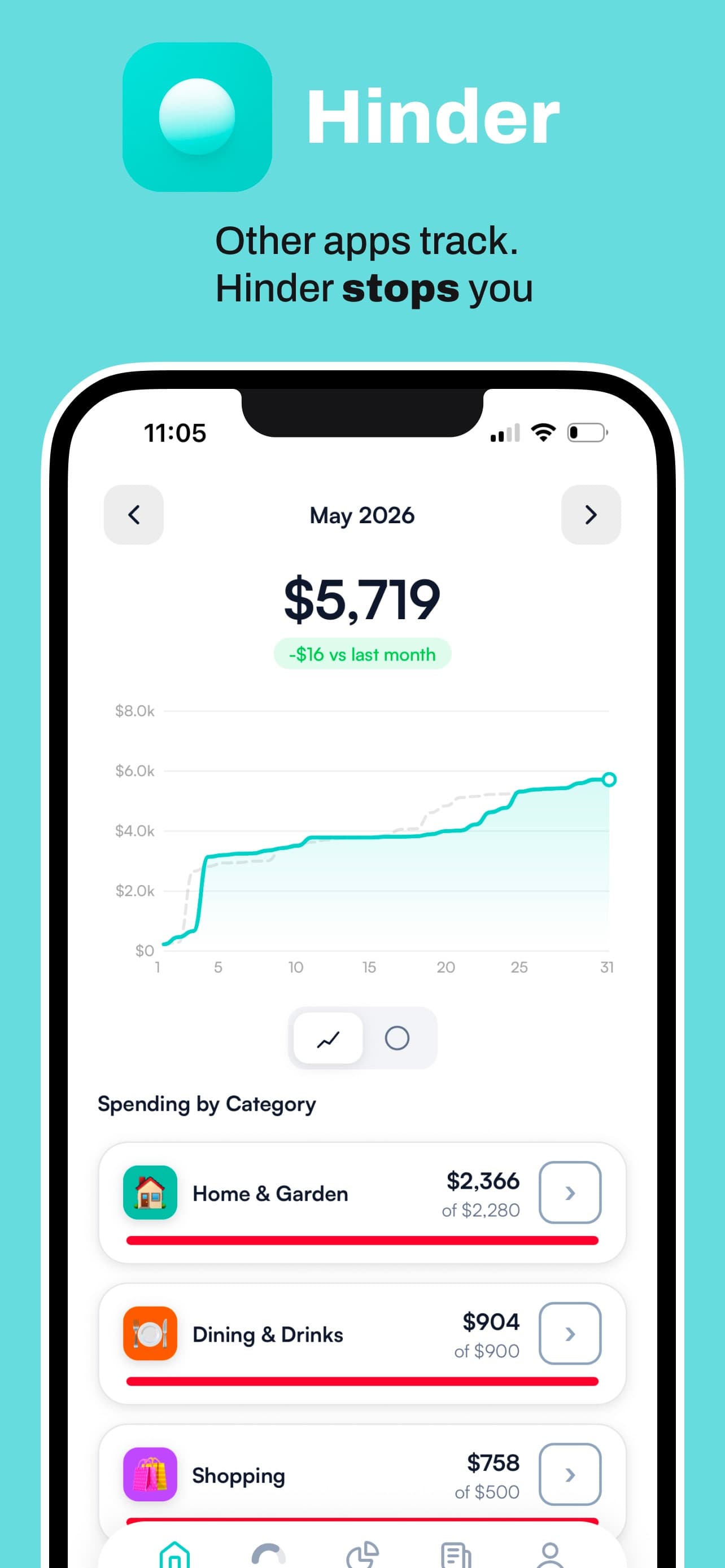
That's what Hinder does. It connects to your bank and cards through Plaid. You set a monthly shopping budget, and if you want, a separate limit per app, so Amazon can get $150 while Temu gets $0. At 80% you get a warning. At 100% Hinder uses iOS Screen Time to lock the apps. Blow the shopping category and every connected app in it locks together, so you can't just hop from Shein to Temu to finish the job.
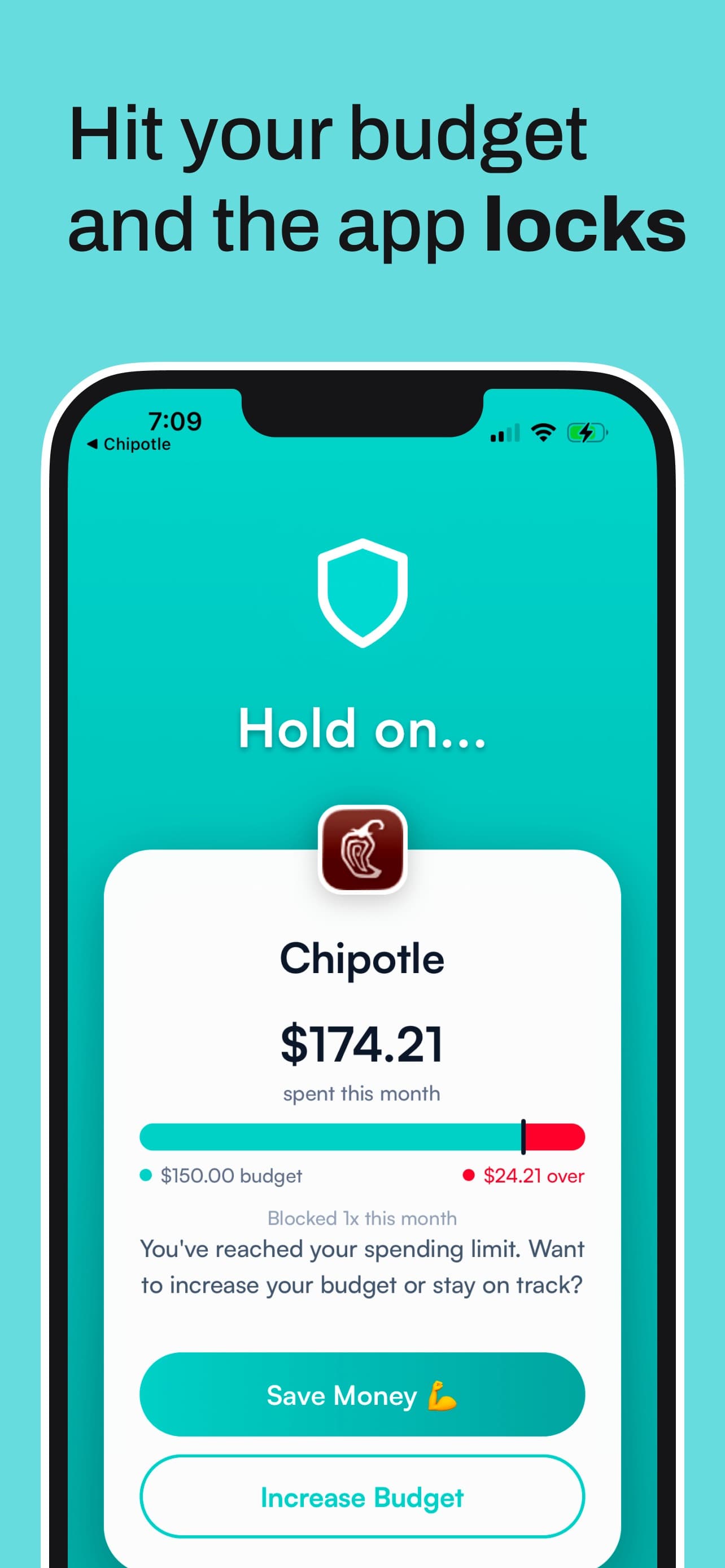
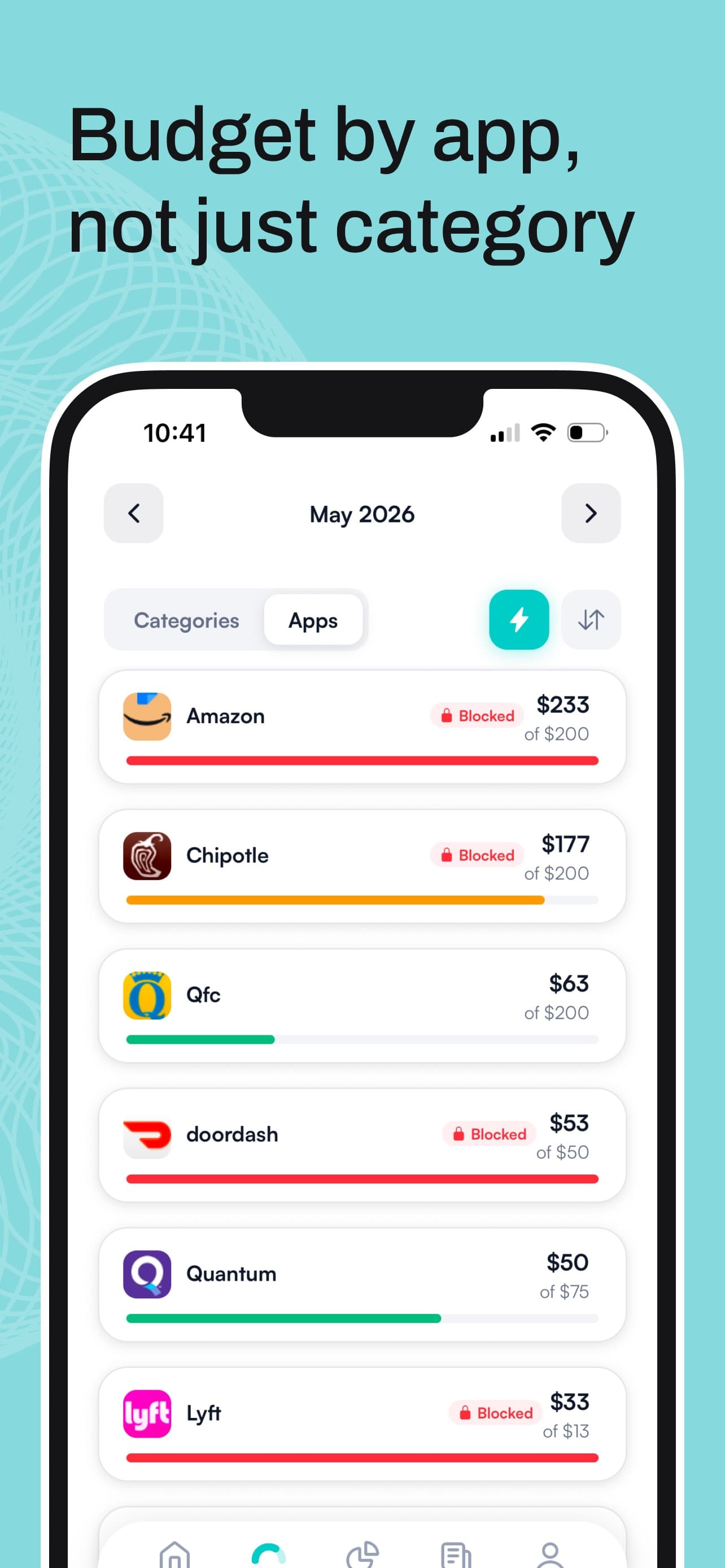
Can you get around it? Sort of, and on purpose. The block screen has two buttons: Save Money or Increase Budget. A temporary unblock gives you about five minutes. The only real way back in for the month is raising your limit, which means looking at the number and deciding, with a clear head, that you're fine spending more. That feels completely different from tapping past a pop-up at midnight.
The honest limits: iPhone only (iOS 16 or later), no Android, and no shared household budgets. It's free to download with a one-week free trial, then it's a subscription. If you want the wider field of blockers, trackers, and timers, our list of 7 apps that stop you from spending money covers it, and our pick for the best app to stop spending money overall goes beyond shopping into food delivery and the rest.
What are the other apps to stop impulse shopping?
There are a few good ones, and each puts a different kind of friction in that ten-second window. None of them know your balance. That's not a dealbreaker for everyone, so here's who each one actually suits.
 CartPause
Best cooldown cart. When you see something you want, you share it into CartPause instead of buying it. It grabs the name, price, and photo, and starts a timer you pick: 72, 48, or 24 hours. When it ends, you decide. It's a clever take on the old "wait a day" rule, and the free tier gives you unlimited paused items. Pro adds savings and spending insights, a Someday wishlist, and a widget for $1.99 a month, $19.99 a year, or $39.99 once. Requires iOS 18.6 or later.
The catch is that it only works if you remember to share instead of tapping Buy Now. In the exact moment you're weakest, it depends on you being strong.
 one sec
Best breathing pause. Pick an app, and every time you open it, one sec makes you sit through a short breathing animation, then asks if you still want in. It sounds too simple to work, but a six-week study published in PNAS with 280 participants found target app opens fell 57%. Free for one app. Pro covers more apps for $19.99 a year. Runs on iPhone, Android, and Mac.
The catch: the pause is identical whether you've spent $0 this month or $600. It slows down opening Amazon. It doesn't know whether you should.
 Shop Locked
Best for shopping hours. You pick a shopping window, say Saturday 10am to 2pm, and the shopping apps and websites you choose are blocked every other hour of the week. There's also an AI "shopping therapist" chat for when the urge hits. It's $3.99 a week after a three-day free trial, iPhone only, iOS 16.6 or later.
The catch: a window controls when you shop, not how much. You can do plenty of damage in four hours on a Saturday, and $3.99 a week works out to more than $200 a year.
Plain iOS Screen Time
Best if you refuse to download anything. Settings, Screen Time, App Limits, add Amazon, set 15 minutes a day. It's free and it's already on your phone. But it counts minutes, and an impulse buy takes two. When the limit hits, iOS offers One More Minute, Remind Me in 15 Minutes, or Ignore Limit for Today, unless you set a Screen Time passcode and turn on Block at End of Limit. And you know the passcode, because you set it.
How do these impulse buying apps compare?
| App | What stops the purchase | Platforms | Free tier |
|---|---|---|---|
 Hinder Hinder | Shopping apps lock when real spending passes your budget | iPhone | 1-week free trial |
 CartPause CartPause | A 24 to 72 hour timer on each item you share | iPhone, iPad, Mac | Unlimited pauses |
 one sec one sec | A breathing pause every time you open the app | iPhone, Android, Mac | One app free |
 Shop Locked Shop Locked | Blocks shopping outside the hours you pick | iPhone | 3-day trial |
| Screen Time | A daily minutes limit you can usually tap past | iPhone | Built in |
Hinder- What stops the purchase
- Shopping apps lock when real spending passes your budget
- Platforms
- iPhone
CartPause- What stops the purchase
- A 24 to 72 hour timer on each item you share
- Platforms
- iPhone, iPad, Mac
one sec- What stops the purchase
- A breathing pause every time you open the app
- Platforms
- iPhone, Android, Mac
Shop Locked- What stops the purchase
- Blocks shopping outside the hours you pick
- Platforms
- iPhone
- What stops the purchase
- A daily minutes limit you can usually tap past
- Platforms
- iPhone
How do I stop impulse buying online?
Start with the free stuff. It won't fix everything, but each one makes that ten-second window a little longer.
- Delete your saved cards. Typing in sixteen digits is the oldest friction there is, and it still works.
- Turn off shopping app notifications. A "price drop on your saved item" push is an impulse buy delivered to your lock screen.
- Unsubscribe from sale emails. If you didn't go looking for the deal, you probably didn't need the thing.
- Use a waiting rule. Anything unplanned waits at least a day. CartPause turns this into an app if you want a timer to hold you to it.
- Give shopping a number. Decide what a month of shopping is allowed to cost before the month starts. Then make the apps enforce it, which is the step willpower keeps skipping.
Some apps need special handling. TikTok Shop is tricky because the checkout lives inside an app you open for other reasons, so we wrote a separate guide on how to stop impulse buying on TikTok Shop. Amazon gets its own walkthrough too, on how to block Amazon on your iPhone.
Does blocking shopping apps actually save money?
It does if the block lands on the right purchases. A lock that fires at 11pm every night stops some impulse buys and annoys you on the nights you need to reorder dish soap. A lock that fires when you're already over budget stops exactly the purchases you'd regret, and leaves you alone the rest of the time. Under budget, Hinder does nothing at all.
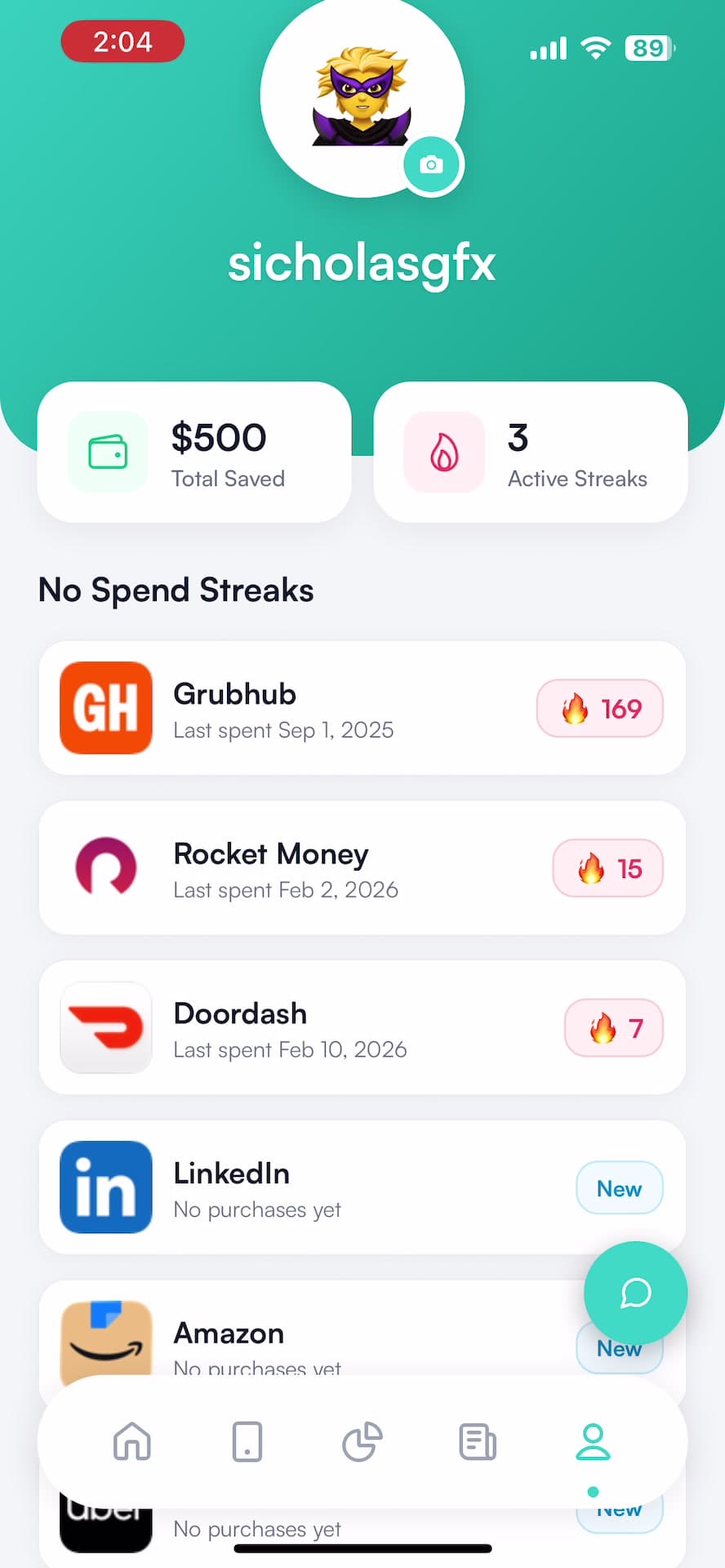
Hinder also keeps a no-spend streak for each app with an estimated savings figure, so you can see what three weeks without Temu looks like in dollars. Weirdly, that number becomes the thing you don't want to break.
How do I set up an impulse buying blocker?
- Link your bank. Download Hinder on iPhone and connect your bank and cards through Plaid.
- Set a shopping budget. Make a Shopping category with a monthly number you can actually live with. Add per-app limits for the worst offenders. $0 for Temu is a perfectly reasonable limit.
- Pick the apps. Choose Amazon, Shein, Temu, TikTok, and anything else that gets you, then approve the Screen Time permission. Our guide to adding apps to block has screenshots.
- Shop normally. You get a warning at 80%. At 100% the apps lock until the month resets or you raise the limit on purpose.
Common questions
Is there an app that stops impulse buying?
Yes. Hinder links to your bank, tracks what you spend against a shopping budget you set, and uses iOS Screen Time to lock Amazon, Temu, Shein, and any other shopping app you pick once you go over. Other apps add a pause before you open a store or a cooldown before you buy, but none of them know how much you've actually spent.
What is the best free app to stop impulse shopping?
CartPause, if you want a cooldown. Its free tier gives you unlimited paused items: share a product into it, wait 24, 48, or 72 hours, then decide. one sec is free for one app and makes you take a breath before it opens. Hinder is free to download with a one-week free trial, then needs a subscription.
How do I stop impulse buying online?
Put something between the urge and the checkout button. Delete saved cards from shopping apps, turn off their push notifications, and wait at least a day before buying anything you didn't plan for. If willpower keeps losing, use an app that locks the shopping apps once you've hit your budget, so the decision is already made for you.
Can Screen Time stop impulse buying?
Not well on its own. Screen Time limits are based on minutes, and an impulse buy takes about two of them. When a limit hits, iOS offers One More Minute, Remind Me in 15 Minutes, or Ignore Limit for Today unless you turn on Block at End of Limit with a passcode. Hinder uses Screen Time underneath but fires the lock on money spent, not time.
Why do I impulse buy on my phone so much?
Because shopping apps are built to shrink the gap between seeing something and owning it. Saved cards, one-tap checkout, flash deals, and endless feeds mean the whole purchase can happen in about ten seconds, before the part of you that cares about rent gets a vote. The fix is adding friction to that window.