How to stop overspending on Instacart
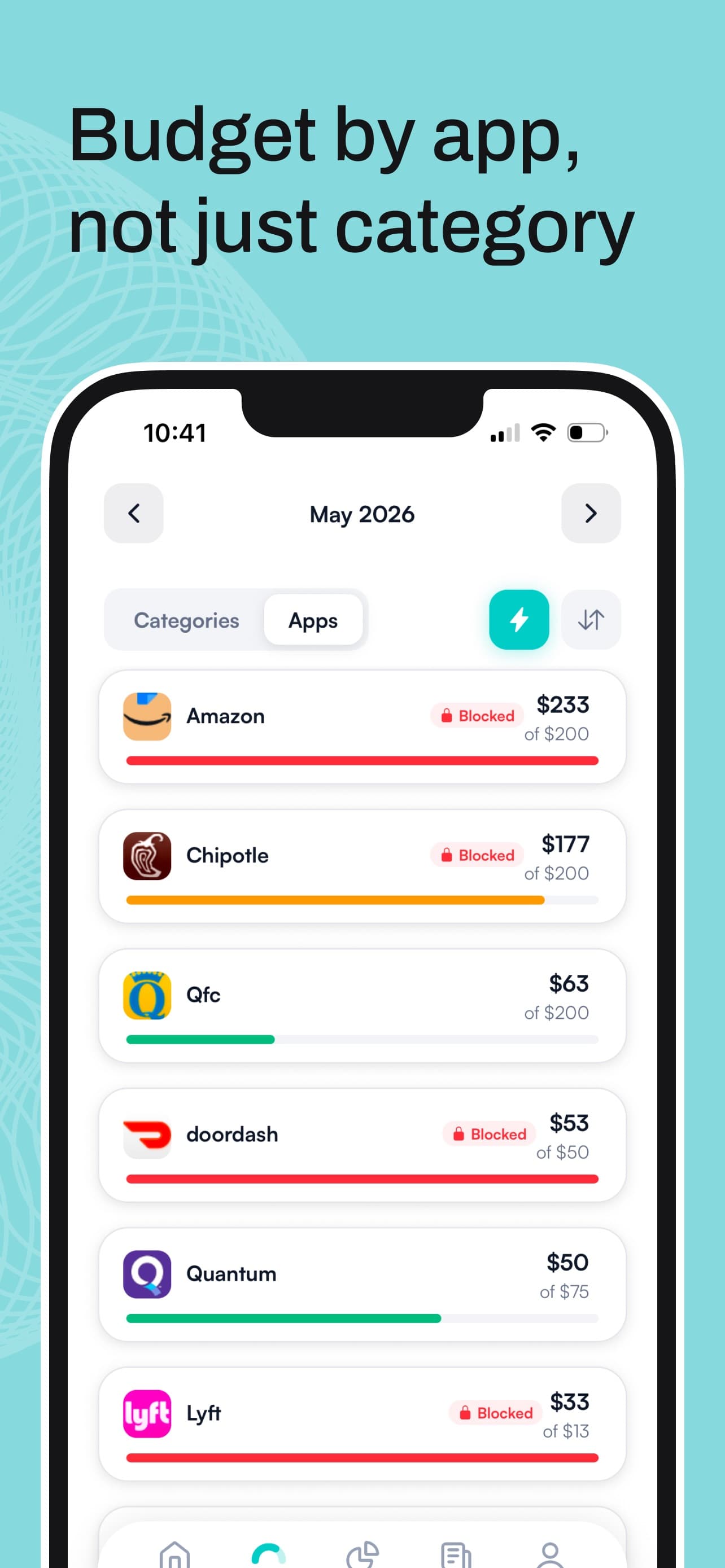
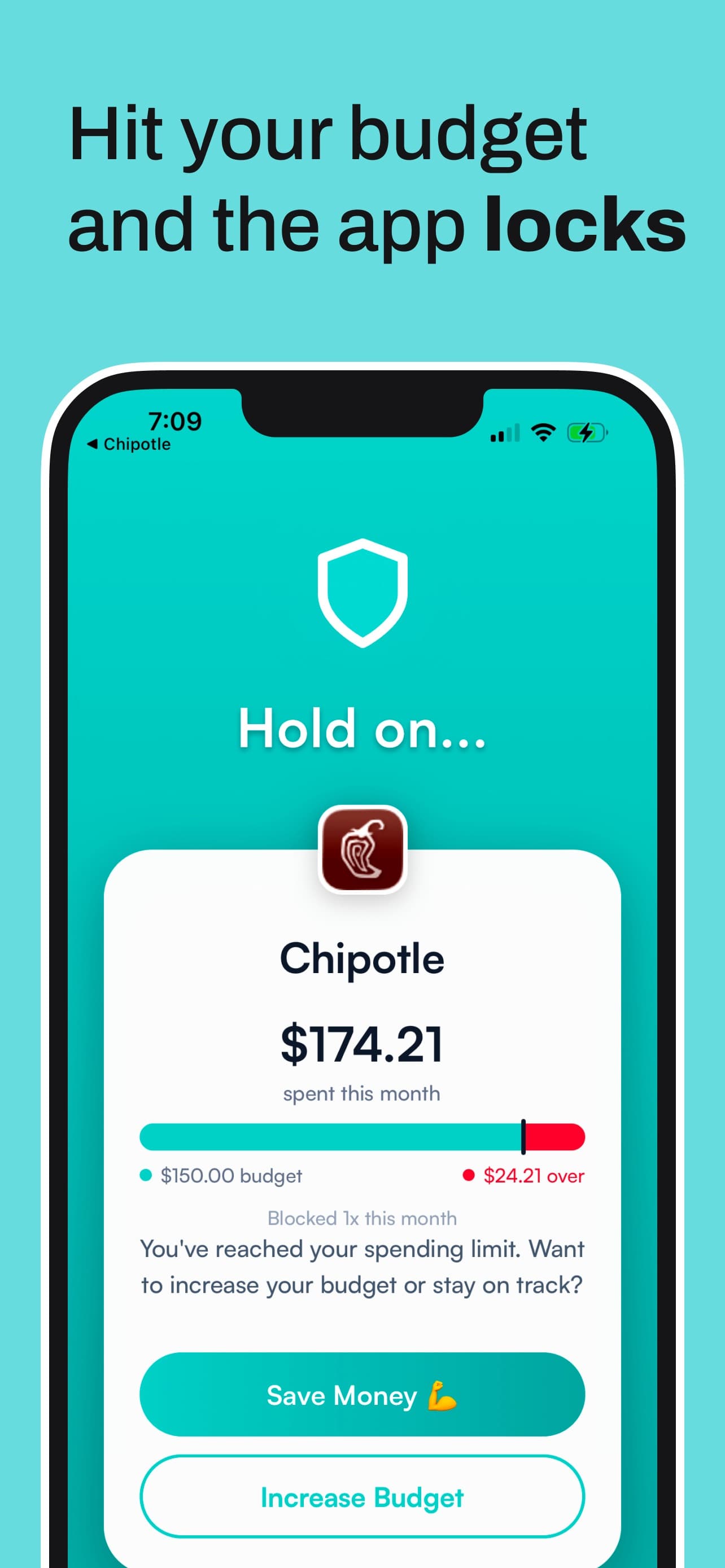
Place one planned order a week, pick it up instead of having it delivered, check whether the store marks up its Instacart prices, and skip the add-ons. Then put a monthly dollar limit on the app itself. Hinder tracks your Instacart spending through your bank and locks the app when that limit is spent.



All three deliver groceries now. One delivery limit can lock all three.
Why is Instacart so expensive?
Because the price of your groceries is only the first line. On top of it you can get a delivery fee, a service fee that Instacart says varies by location and by what is in your cart, a priority fee if you want it in an hour, and a tip. None of it is hidden, exactly. It just adds up quietly.
Here's an illustrative example, not a quote. A $60 cart at a store that prices above in-store picks up about $6 in markup. Add roughly $4 for delivery, $5 in service fee, a $10 tip, and $10 of "you might also like" items you didn't plan on. That's $95. Your checkout screen shows your real numbers, and they're worth actually reading.
Are Instacart prices higher than in store?
Sometimes. Instacart doesn't set item prices, the retailers do. Plenty of stores charge their everyday in-store prices. Others set higher prices on Instacart to cover the cost of the service. Each store shows its pricing policy at the top of its storefront in the app, so tap it before you fill a cart. If your usual store marks up and another nearby doesn't, that switch alone saves money every single week.
How do you save money on Instacart?
- One planned order a week. The real leak isn't one big shop. It's three small ones, each with its own fees and tip. Make a list, order once, stop.
- Pick up instead of delivery. Instacart says pickup orders have no service fee, and there's no delivery tip. Some stores do charge a pickup fee, so compare.
- Compare in-store prices. Check the pricing policy and pick a store that doesn't mark up.
- Skip the suggested add-ons. They're placed right where you're about to pay. That's on purpose.
- Do the Instacart+ math honestly. It's $99 a year or $9.99 a month for $0 delivery on grocery orders of $10 or more, and service fees still apply. Worth it if you order a lot. A trap if it makes you order more.
Can you set a spending limit on Instacart?
Not inside Instacart. There's no monthly cap setting, and deleting the app lasts until the fridge is empty. The limit has to come from outside. That's the same problem behind blocking Uber Eats and ordering less DoorDash. Shopping runs leak the same way, which is why we wrote up how to stop spending money at Target.
Hinder connects to your bank and cards through Plaid and puts a monthly dollar limit on Instacart, or on a delivery category you create that holds Instacart, DoorDash and Uber Eats together. At 80% you get a warning push. At 100% the connected apps lock through iOS Screen Time. There's a short temporary unblock for emergencies, but the real way back in is raising the limit on purpose.
Should you limit groceries or delivery?
Delivery. Food is a need. Having someone else shop for it is a convenience, and the convenience is what's eating your budget. So set the limit on the delivery apps, not on all your grocery spending. When Instacart locks, you can still walk into the store. Pick a number that covers your one planned weekly order and nothing extra.
If delivery has become a habit more than a choice, read our take on food delivery addiction. For other options, here's our list of apps that stop you from spending money, and a guide on choosing which apps to block.
Common questions
Why is my Instacart bill so much higher than my cart?
Because the cart is only part of it. Delivery fees, a service fee that varies by location and cart, a tip, priority fees for fast windows, and in some stores item prices set above in-store prices all land on top.
Is Instacart more expensive than shopping in store?
Often, yes. Retailers set their own Instacart prices, and some set them higher than in-store. Each store shows its pricing policy at the top of its storefront, so check before you shop. Fees and tip come on top either way.
Is Instacart pickup cheaper than delivery?
Usually. Instacart says pickup orders have no service fee, and you skip the delivery tip. Some retailers charge a pickup fee, so look at the total at checkout.
Can I put a spending limit on Instacart?
Not inside Instacart. Hinder can do it from the outside: it tracks your Instacart spending through your bank and locks the app with iOS Screen Time when you hit the monthly limit you set.
Is Hinder free?
Free to download and try. iPhone only. It connects through Plaid and uses iOS Screen Time to lock the apps you overspend in.